image to 200kb online free compressor
Up to 10 images at once
Your image is uploaded to our server to be compressed. It is not saved: the upload is deleted automatically as soon as your compressed copy is sent back.
| 50kb | 100kb | 200kb | 500kb | 1mb |
Need to compress lots of images, or a whole WordPress site? Try ShortPixel.
We may earn a commission if you buy through this link, at no extra cost to you. Affiliate disclosure.
How to Compress Image to 200KB Online
You spend 20 minutes filling out an important job application. You upload your photo. Then suddenly “File size exceeds 200KB.” Everything stop. Your perfect photo gets rejected over a size issue. And most people have absolutely no idea how to fix it quickly.
This problem is more common than you think. Student face it during college admissions. Job seekers hit this wall on recruitment portals. Citizen struggle with it on government websites every single day.
The solution here: Savedfast compresses your image to 200KB or just under in seconds.No technical skills needed, No expensive software. Just a simple, free online tool that works instantly.
What Does “200KB Limit” Actually Mean?
KB means kilobytes it measures file size. Think of it like weight. A heavy file is hard to upload, just like a heavy bag is hard to carry. Your smartphone camera takes photos between 3MB and 10MB. When a website set a 200KB limit, your 5MB photo is 25 times too large. No wonder it gets rejected.
Websites enforce this limit for good reason. According to [Google’s image optimization guidelines](https://developers.google.com/speed/docs/insights/OptimizeImages), smaller files load faster and reduce server load. Government portals and job websites handle millions of uploads daily strict size limits keep everything running smoothly for everyone.
The solution is simple: compress your image. Make the file lighter without making the photo look bad. That’s exactly what Savedfast does.
How to Compress Image to 200KB
Just follow the 3 simple steps and Done in few second:
step 01:
Visit Savedfast on any device phone, tablet, or computer. No app download needed. Works directly in your browser.Click upload and select your photo. You can also drag and drop. Savedfast accept JPEG, JPG, PNG,webp and more famous format the most common format required by official portal.
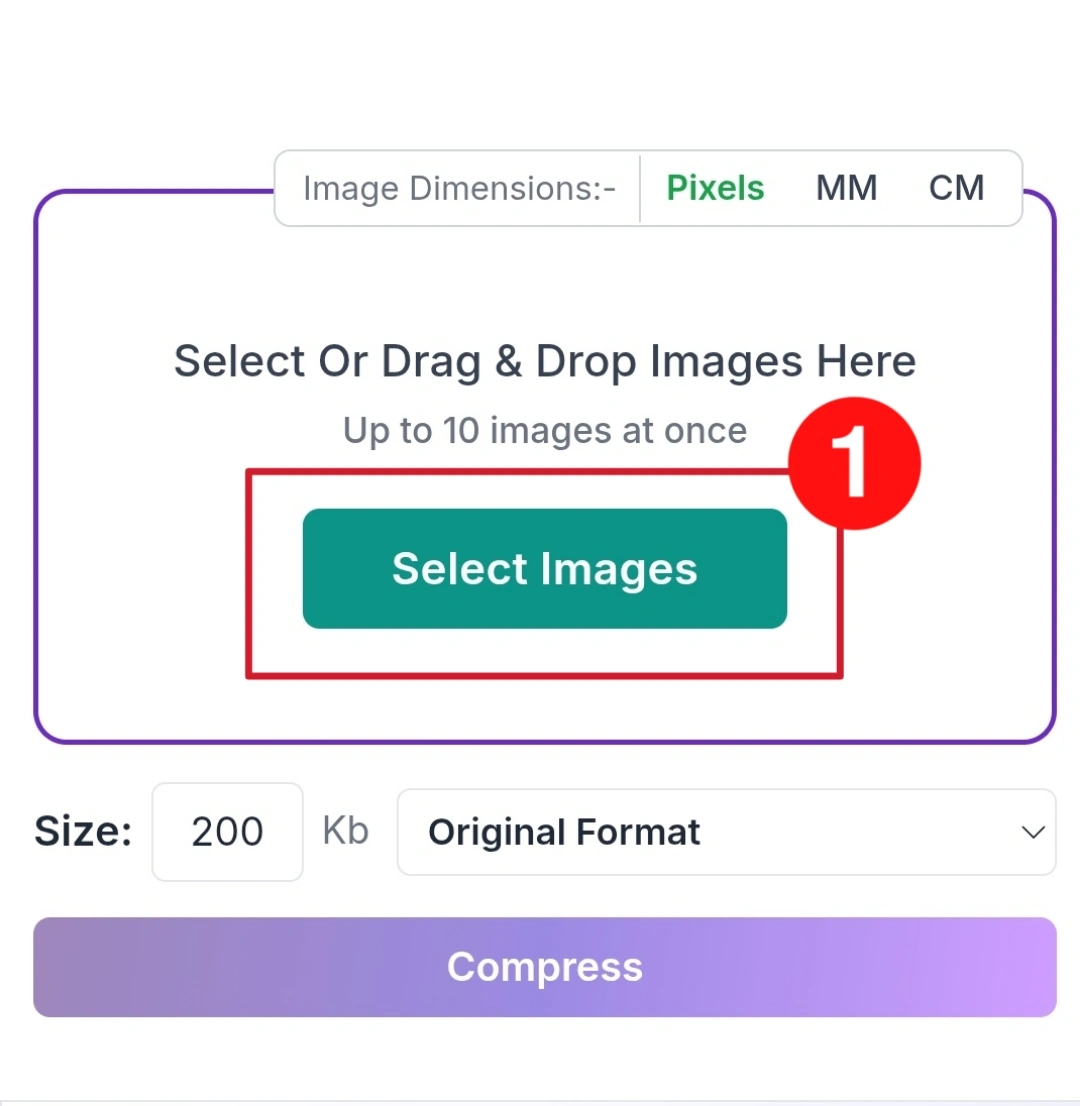
step 02:
check your needed size as your desired output size. Savedfast know exactly what to do from here.Hit compress button Your image processes in second.
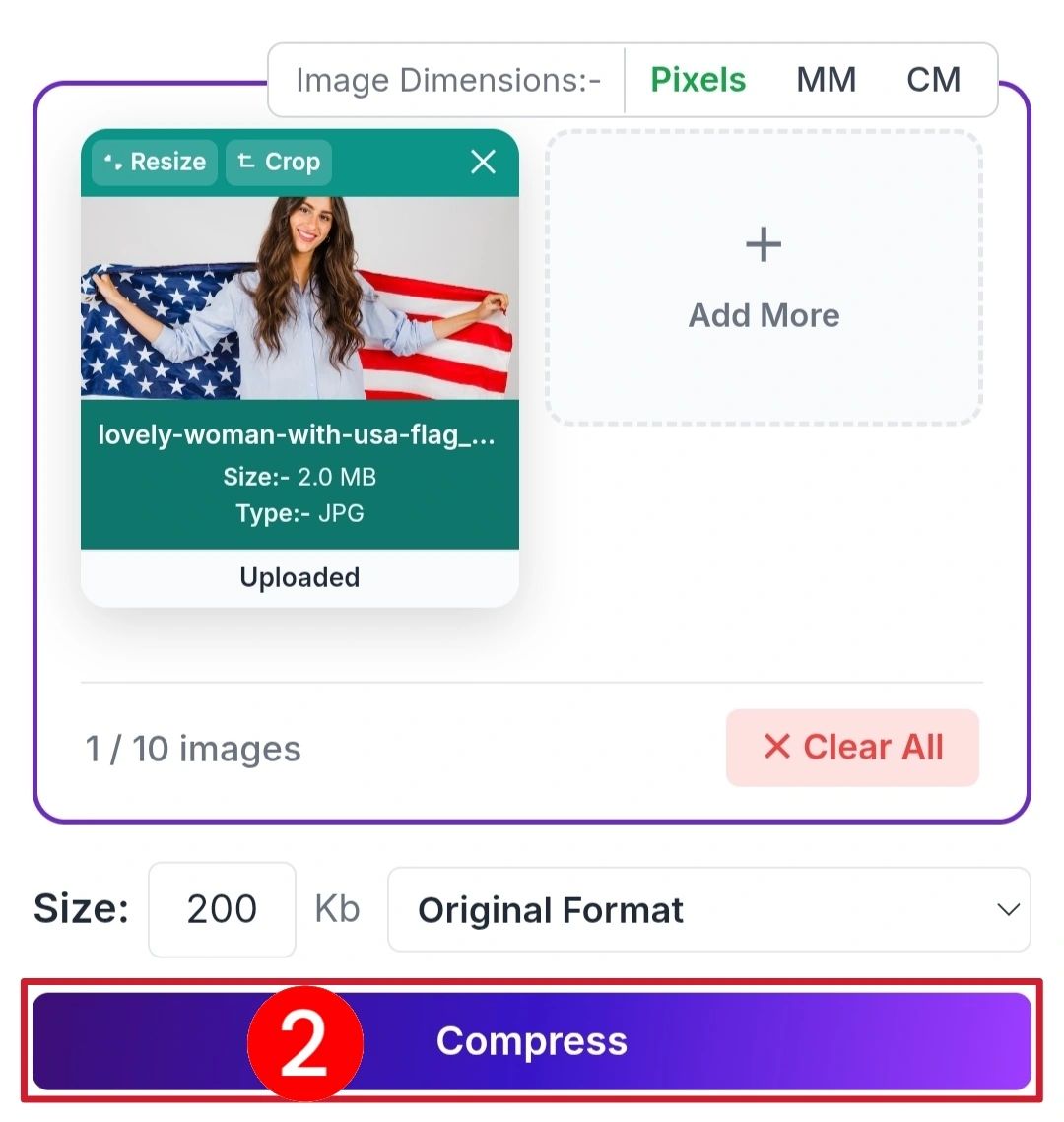
step 03:
Preview it, then hit the download button and your image is now close to 200KB and ready to upload anywhere..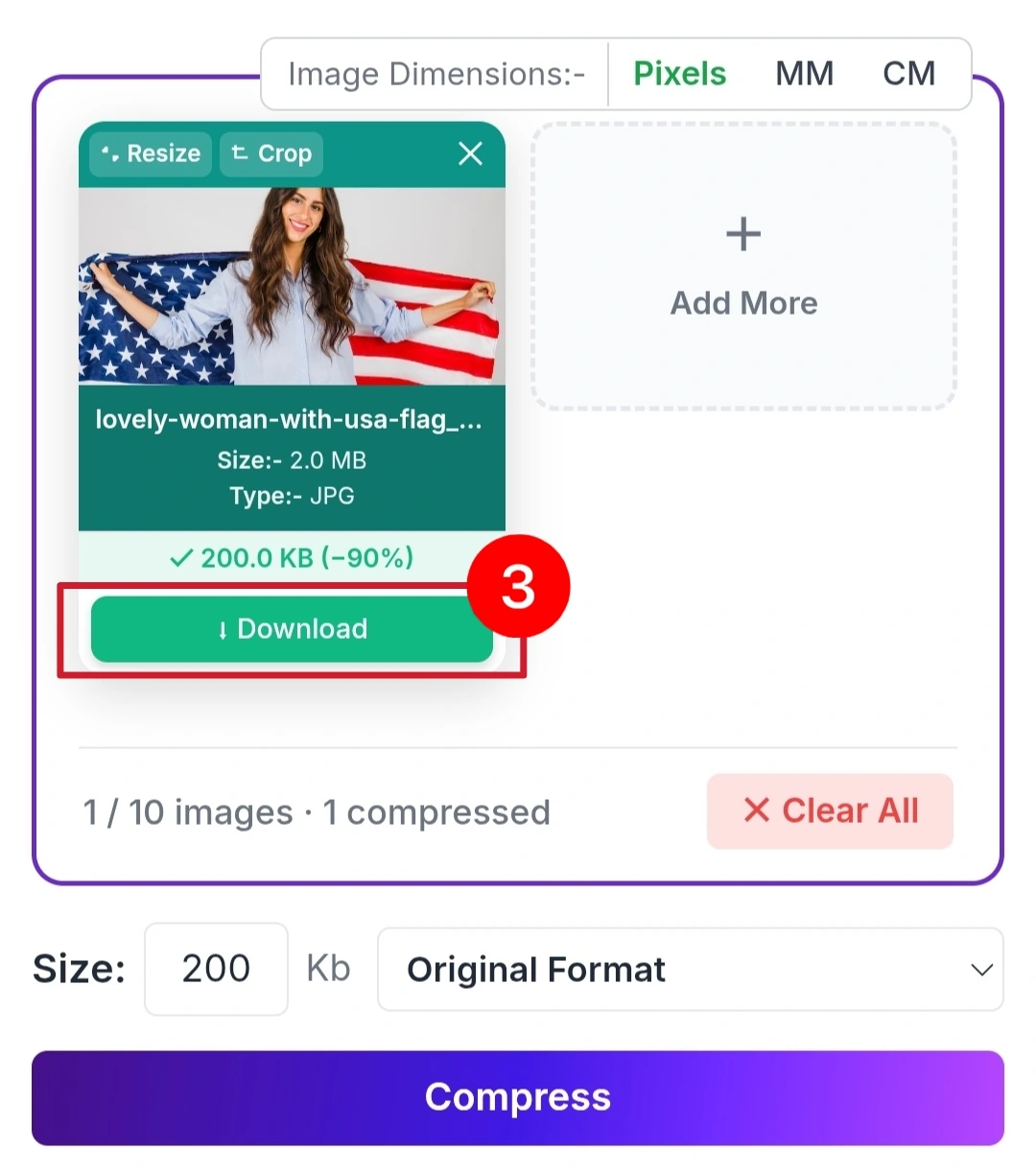
Why Choose Savedfast?
Most online compression tools have frustrating limitations, Daily limits, Forced sign-up, Watermark on your images, Slow processing times, Hidden charges appearing at checkout. Savedfast has none of that.
Feature
- 100% Free ✅ Yes
- No Account Needed ✅ Yes
- No Daily Cap ✅ Yes
- Keeps Image Sharp ✅ Yes
- Works on Mobile ✅ Yes
- JPEG & PNG Support ✅ Yes
Compress one image or many. There is no daily cap. Open the tool, compress, download, and go. Your images stay sharp and professional throughout the entire process.
Who Needs This Tool?
Job Seeker
Most government job portals require passport photo strictly under 200KB. One wrong file size and your application gets rejected immediately. Savedfast prevents that from happening.
Student
University admissions, scholarship portal, and exam registration all enforce strict image limit. Savedfast ensures your submission goes through smoothly the first time, every time.
Government Form User
Passport application, national ID form, and official government documents online have rigid upload requirement. Savedfast help you meet them without any technical knowledge whatsoever.
Answers to Common Question
Will my image look blurry after compression?
No Savedfast use smart compression. Your image stays clear and sharp completely professional for any submission.
How many images can I compress?
There is no daily or weekly cap. You can add up to 10 images at a time, and if you send a lot very quickly the tool pauses for a moment before carrying on.
Do I need to sign up?
No Just open Savedfast and start. Zero registration required.
Is my image data private?
Yes. Your image is uploaded to our server so it can be compressed. It is not saved there: the upload is deleted automatically as soon as your compressed copy is sent back to you. Photo details such as location data (EXIF) are also removed from the compressed copy.