image to 500kb online free compressor
Up to 10 images at once
Your image is uploaded to our server to be compressed. It is not saved: the upload is deleted automatically as soon as your compressed copy is sent back.
| 50kb | 100kb | 200kb | 500kb | 1mb |
Need to compress lots of images, or a whole WordPress site? Try ShortPixel.
We may earn a commission if you buy through this link, at no extra cost to you. Affiliate disclosure.
How to Compress Image to 500KB Online
Ever tried uploading a photo and got this message?”File size is too large.”It’s annoying. You did everything right filled the form, prepared your documents and one small image ruins it all. This happen a lot on job website, college admission portals, and government form. They only accept image under 500KB. That’s a pretty small size limit. But don’t worry. Savedfast Online Tools fixed this problem.
What Does “500KB Image Limit” Even Mean?
Think of KB (kilobytes) like the weight of a image file. The larger image it is, the harder it is to upload. Most website want your image to be smaller size like under 500KB so their system don’t slow down.
Your phone camera take photo that are often 2MB, 5MB, or even 10MB. That’s way too heavy for most upload form. You need to make the file smaller this is called compressing the image.
How to Compress Your Image 500kb Using Savedfast Online Tools
No confusing follow the easy step here. Just four simple things to do:
step 01:
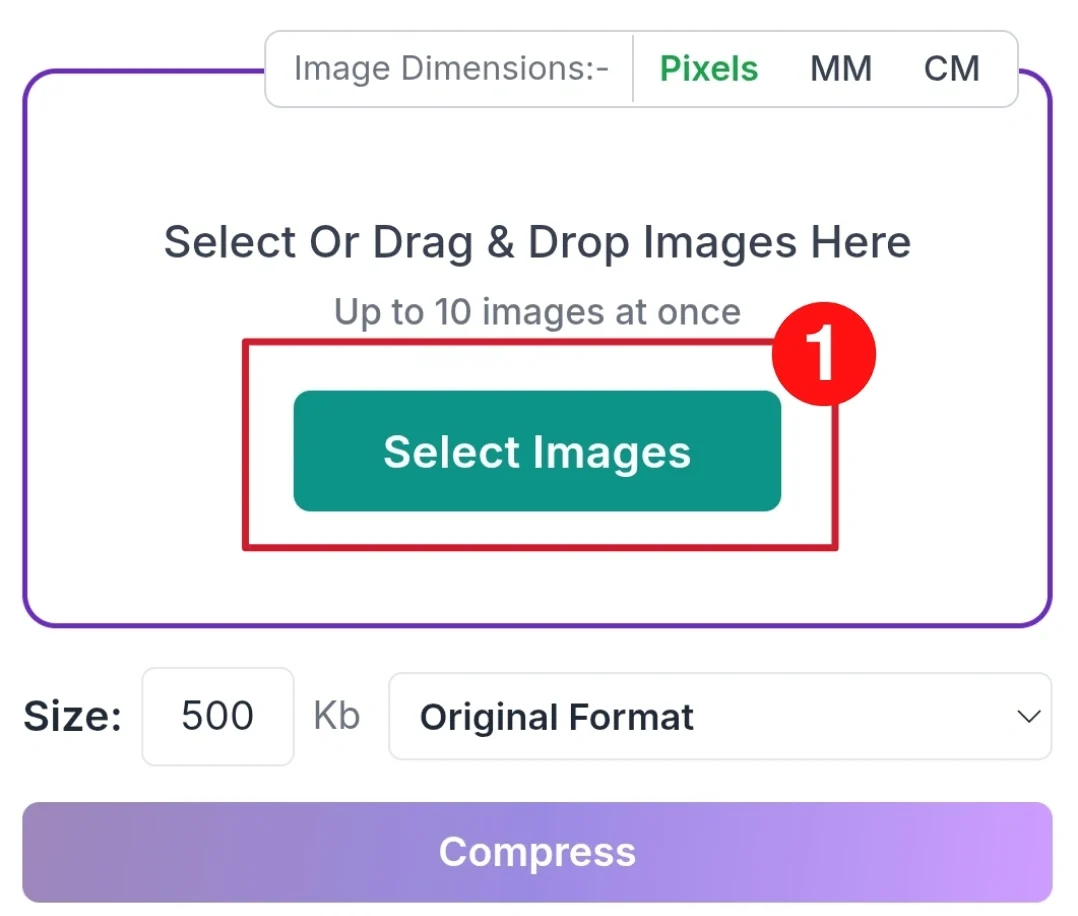
Upload your image by clicking “Select Images” or dragging and dropping your file into the tool. Up to 10 images at a time are supported.
step 02:
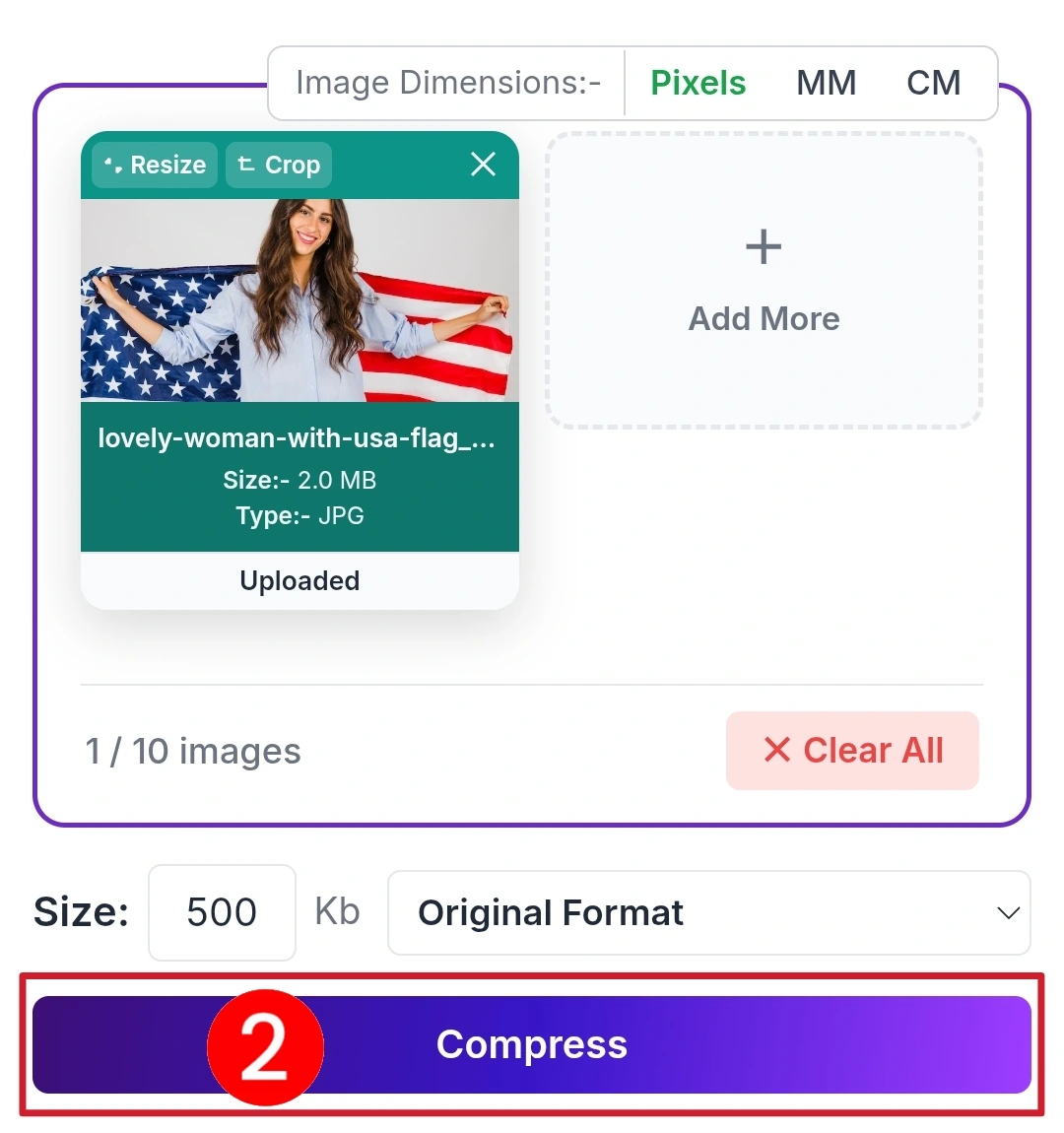
Set the target size to 500 KB and keep the format as “Original Format”, then hit the Compress button.
step 03:
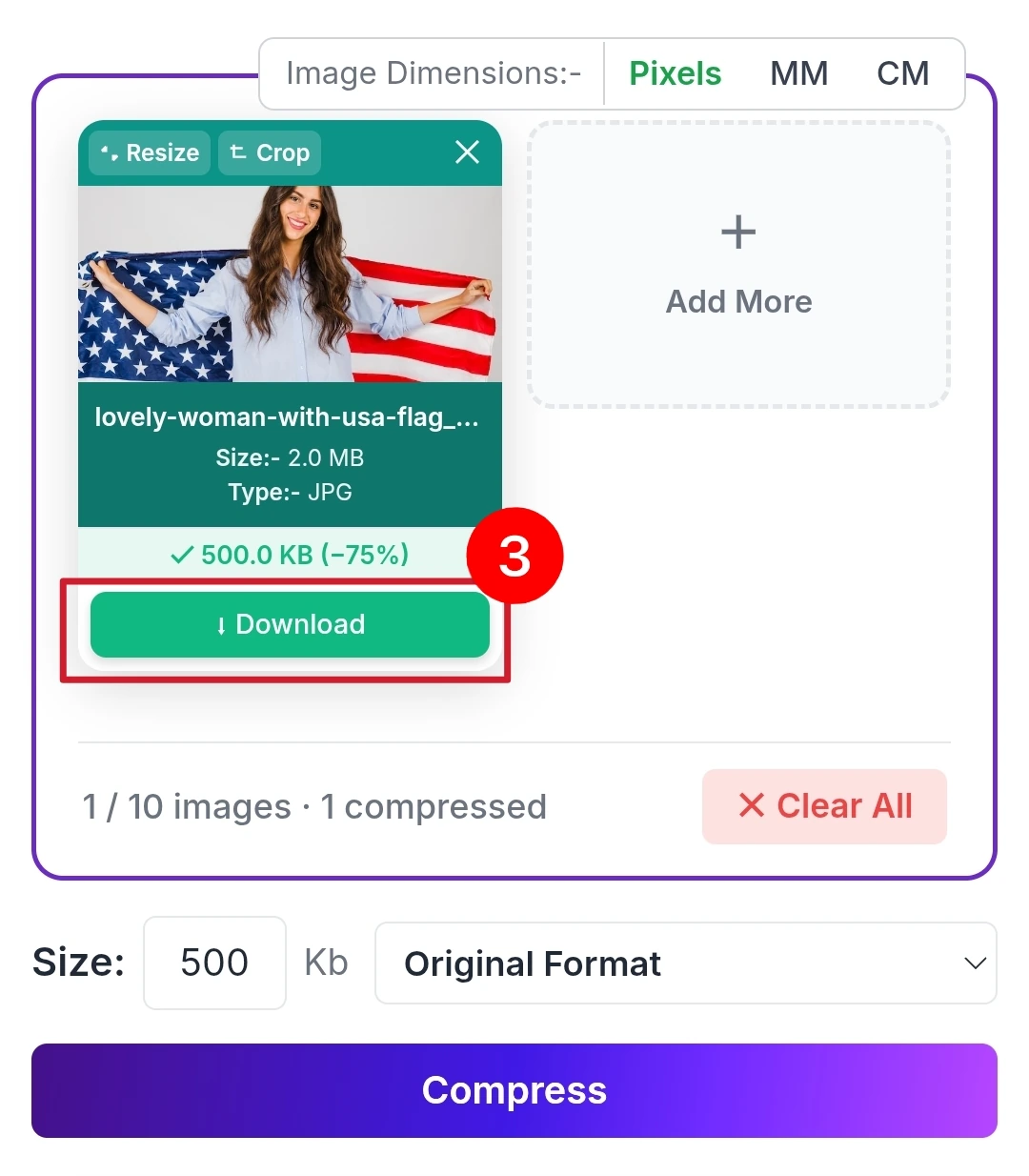
Download the result. The tool shows you the final size and the percentage saved (like 500 KB / −75%), then you click Download to save it.
Why Use Savedfast Online Tools?
There are many tools online. Here’s why Savedfast Online Tools is better for everyday user:
- Free to use: No hidden charges.
- No account needed: Just open the website and start compressing.
- No daily cap: Compress as many as you need, up to 10 at a time.
- Good quality: Your image won’t look blurry or broken after compression.
- Super Fast: It takes only a few second.
What If I Need a Different Size Not 500KB?
Sometimes a form asks for images under 200KB or 1MB. Savedfast lets you control the compression level, so you can hit any size target not just 500KB. Very handy when different website have different rules.It’s perfect for student, job seeker, and anyone dealing with online form regularly.
Quick Summary
| Problem | Solution |
|---|---|
| Image too large to upload | Compress it with Savedfast |
| Need image under 500KB | Use Savedfast’s default setting |
| Don’t want blurry results | Savedfast keeps quality as high as the size allows |
| Need to compress many images | No daily cap on Savedfast |
Final Thoughts
The 500KB rule is common. You’ll see it on job portals, government websites, and university forms all the time. Instead of panicking, just open Savedfast Online Tools and compress your image in seconds.It’s free, It’s simple, And it actually works. Bookmark this tool today you’ll thank yourself later.
FAQ
How do I compress an image to 500KB online for free?
Go to Savedfast Online Tools, upload your image, choose the your target size, preview the result, and download. It’s completely free with no account required.
Why do websites have a 500KB image size limit?
Websites set a 500KB limit to keep their servers fast and prevent slow upload. Job portal, government form, and university website commonly use this limit.
Will my image quality be affected after compression?
A little. Compression always removes some detail, but at 500KB most photos look the same to the eye. Very small targets will look softer.
Can I compress image to size other than 500KB?
Yes Savedfast lets you control the compression level so you can target any size 200KB, 500KB, 1MB, or any other limit required by a website.
Is there a limit on how many image I can compress on Savedfast?
No daily cap. Savedfast is free, and you can add up to 10 images at a time. If you send a lot very quickly, the tool pauses for a moment before carrying on.