Free Pinterest Video Downloader – HD, No Watermark
Pinterest is one of the most famous platforms for discovering creative ideas, DIY tutorials, recipes, fashion inspiration, and motivational clips. However, Pinterest does not provide a built in option to download videos directly. That’s where a reliable Pinterest video downloader becomes essential.
Savedfast Online Tools is a completely free, fast, and secure online Pinterest video downloader that lets you save videos, photo and gif in high quality (HD, 1080p, or 4K when available) without any watermark. No software installation required, no app download needed, no registration, and no any hidden fees. It works seamlessly on Android, iPhone, Windows, Mac, laptop and any web browser.
Whether you want to download a Pinterest video for offline viewing, create presentations, or save inspiring content, Savedfast online tools makes the process simple and safe. In this complete 2026 guide, we’ll cover step-by-step instructions to help you get the most out of your downloads.
How to Download Pinterest Video follow Step by Step
Step 01
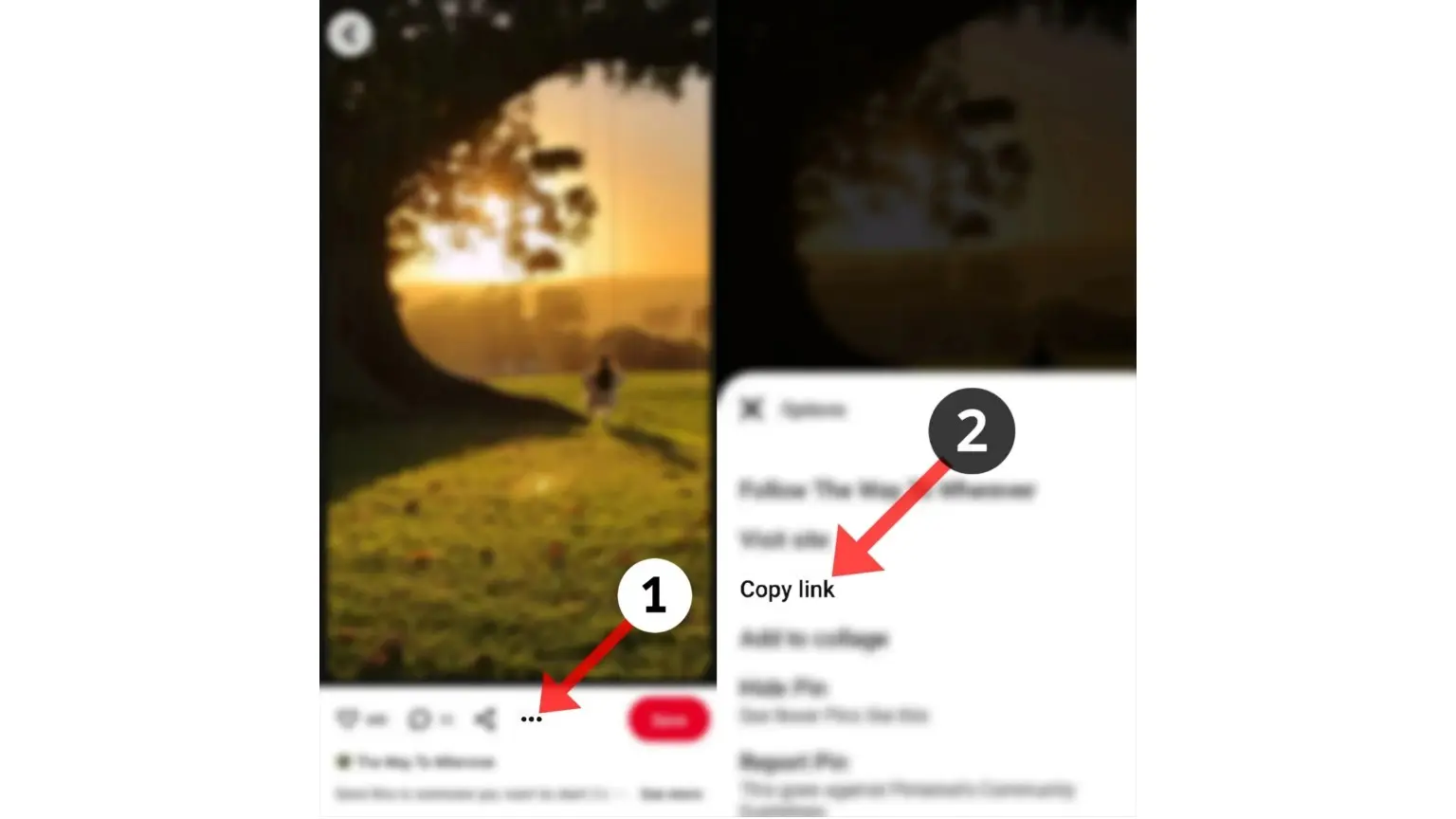
Open the Pinterest app and find the video, photo and Gif you want to save. Tap the three dot menu (⋯) in the bottom right corner of the Pin. Select Copy link to copy the Pinterest video URL.
Step 02
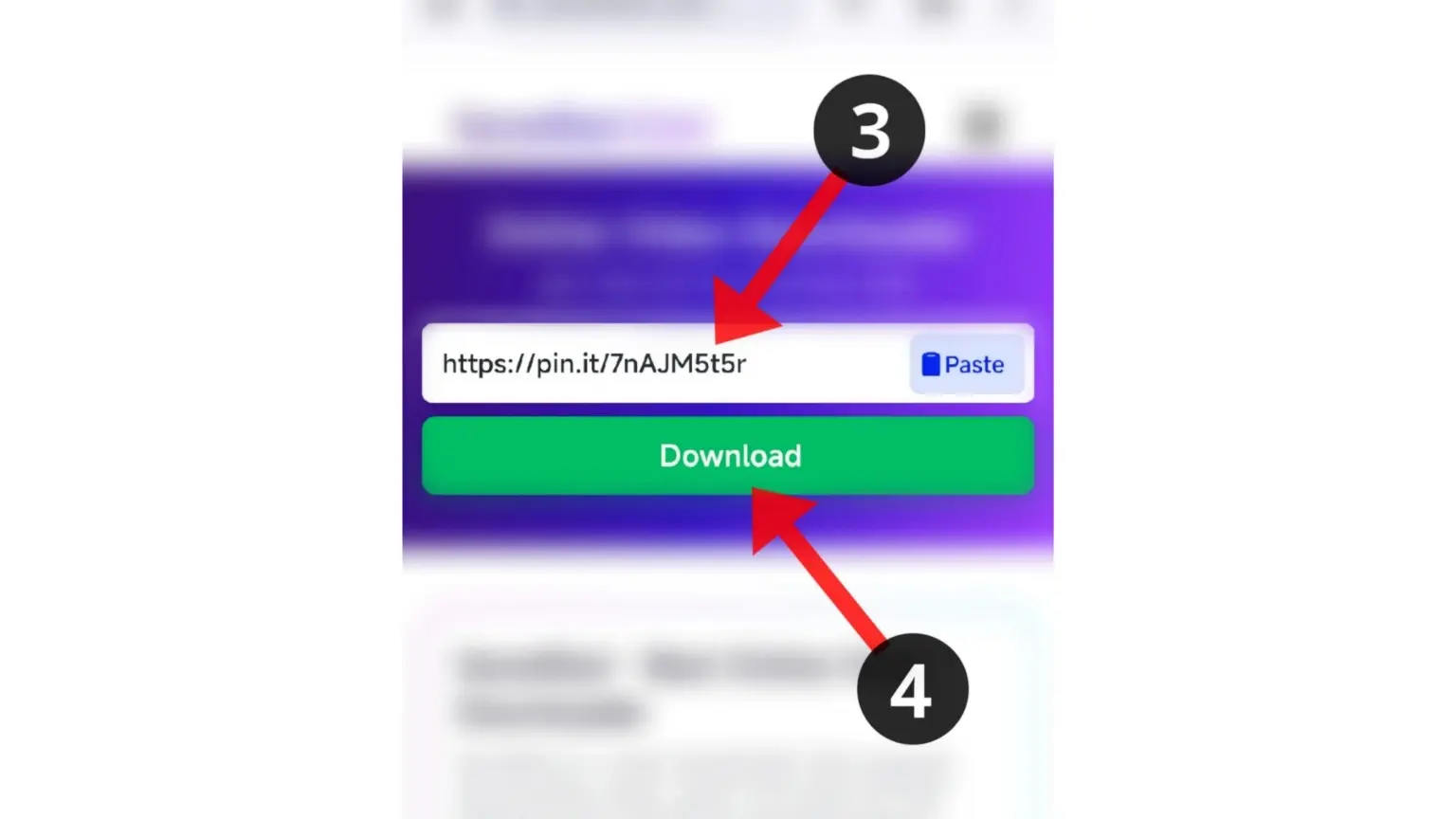
Open any browser on your phone or any device (Chrome, Safari, or Firefox recommended) and go to savedfast.com/pinterest-videos-download.
Paste the copied link into the input box and tap the Download button.
Step 03

Wait a few seconds for the preview to load. Select the quality you want (the options depend on what the original pin offers) and save the video, photo, and Gif to your gallery or downloads folder.
Key Features of Savedfast Online Tools– Best Pinterest Video Downloader
- High Quality Download: Saves the qualities the original pin offers, often up to 1080p HD.
- No Watermark: Download original resolution images and animated GIF from Pinterest without watermarks, Clean Video Quality.
- Clean UI: user-friendly interface designed for a smooth and fast experience.
- Device Compatibility: Works on Android, iOS, Windows, Mac, and all major browsers.
- Fast & Secure: Direct processing with no server storage of your files.
- Free, No Daily Cap: Save Pinterest videos, images, and animated GIFs for free, with no daily cap for normal use. No charges or subscriptions required.
FAQ
Save your downloads somewhere safe
Files in your phone’s Downloads folder are easy to lose when storage fills up or you switch devices. If you keep Pinterest videos you own or have permission to save, a cloud folder like pCloud keeps them backed up and reachable from your phone or computer. If you’d rather not pay monthly, pCloud also has a one-time Lifetime plan.
We may earn a commission if you buy through these links, at no extra cost to you. Affiliate disclosure.
Want to trim, convert, or edit the video you saved? Try Movavi Video Converter or Movavi Video Editor.
We may earn a commission if you buy through these links, at no extra cost to you. Affiliate disclosure.