Compress an image to 100KB
Up to 10 images at once
Your image is uploaded to our server to be compressed. It is not saved: the upload is deleted automatically as soon as your compressed copy is sent back.
| 50kb | 100kb | 200kb | 500kb | 1mb |
Need to compress lots of images, or a whole WordPress site? Try ShortPixel.
We may earn a commission if you buy through this link, at no extra cost to you. Affiliate disclosure.
image to 100kb
That One Error That Ruins Everything.You finally finish filling out that long government form. Everything is perfect. You click upload and your screen shows this:”Image size must be under 100KB.” Suddenly nothing works. Your photo is fine. Your document are ready. But that one file size restriction blocks your entire submission.
This happens more than people realize. Job portal reject application daily because of oversized image. University admission system bounce submission over a few extra kilobytes. Even small mistakes like this can delay opportunities by day or week.
Here is the reality 100KB is a very tight limit. Most people have never even thought about file size before hitting this wall. And that is completely okay. Savedfast solves this problem instantly, for free, without any technical knowledge required.
Why 100KB? Understanding the Limit
Your smartphone take stunning photo. But those stunning photo come at a cost large file size. A typical phone photo sits between 2MB and 8MB.Against a 100KB limit, that photo is 20 to 80 time too heavy.
Websites and portals set these limits deliberately. Smaller files mean faster load time, lower server cost, and smoother experiences for millions of simultaneous user. According to [Google’s official web performance research](https://web.dev/fast/#optimize-your-images), image optimization directly impacts both website speed and user satisfaction.
So the limit exists for real technical reasons. The challenge is simply getting your image down to that size without ruining how it look. That balance between small size and good quality is exactly where Savedfast excels.
How to Compress Image to 100KB
No complicated process here. No technical background needed. Just four straightforward steps:
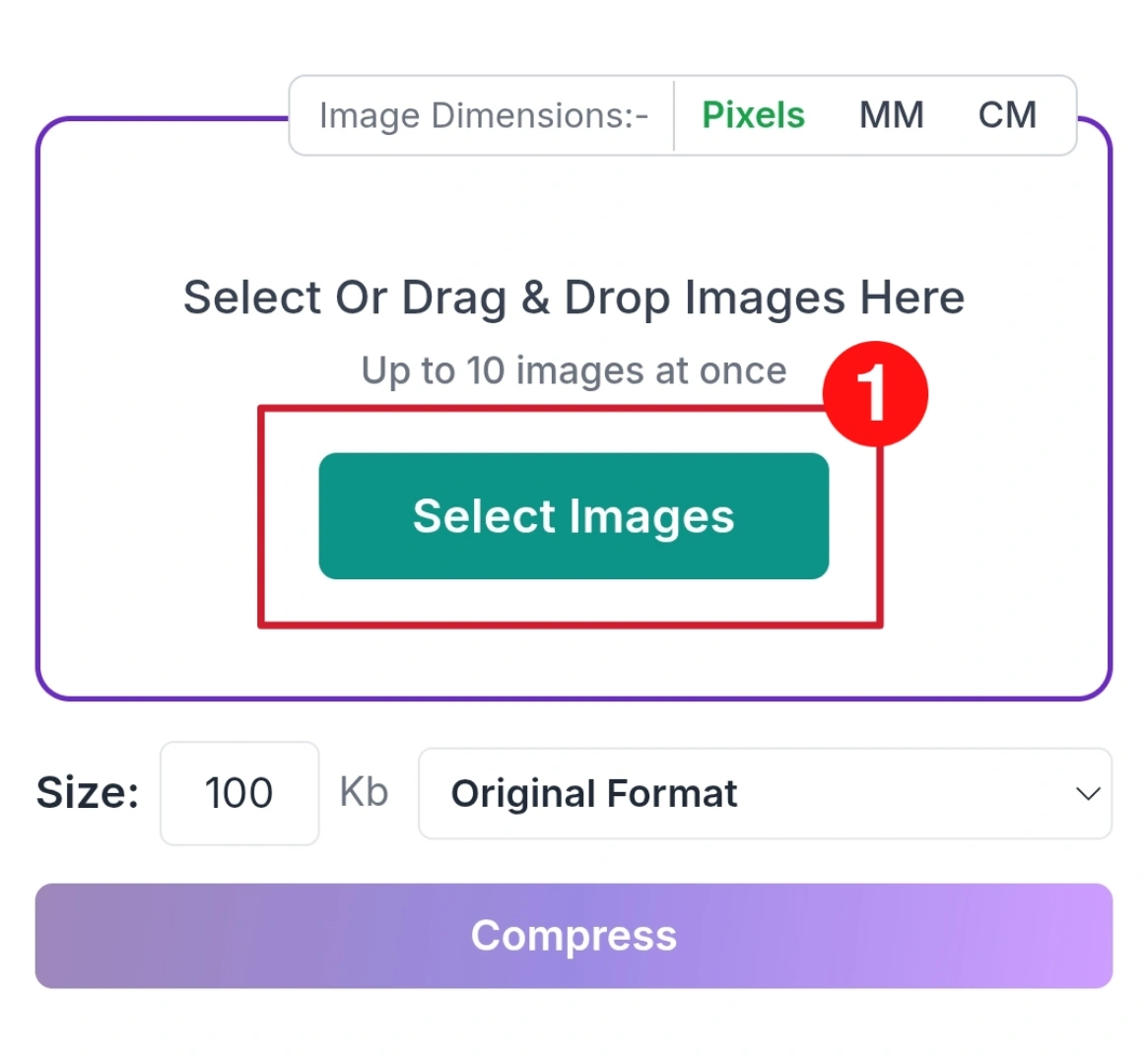
Step 01
Click Select Images button or drag and drop your image into the upload area. You can upload multiple images easily from any device.
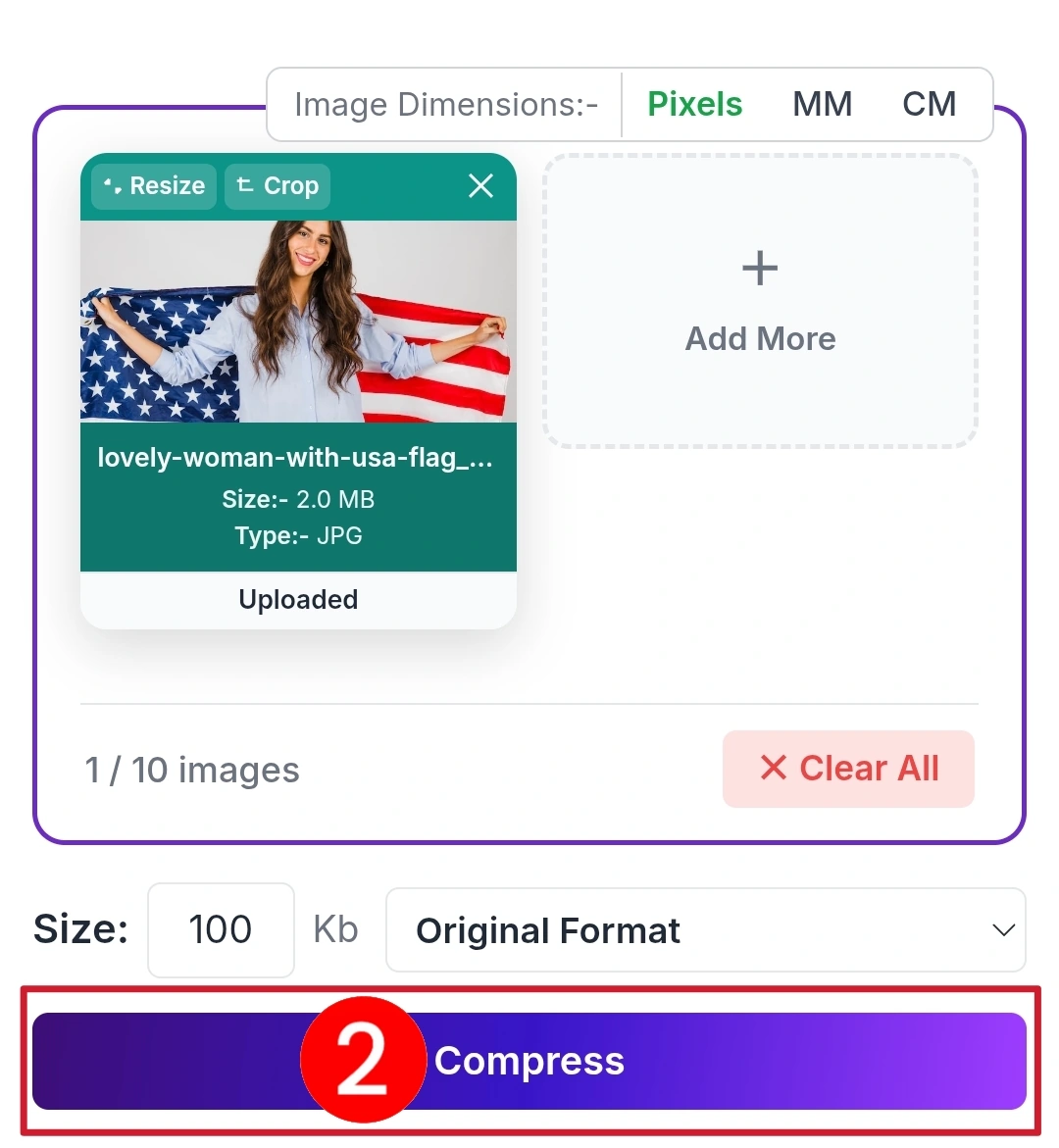
Step 02
Enter your target size like 100KB in the size box, then click the Compress button to start processing your uploaded images instantly.
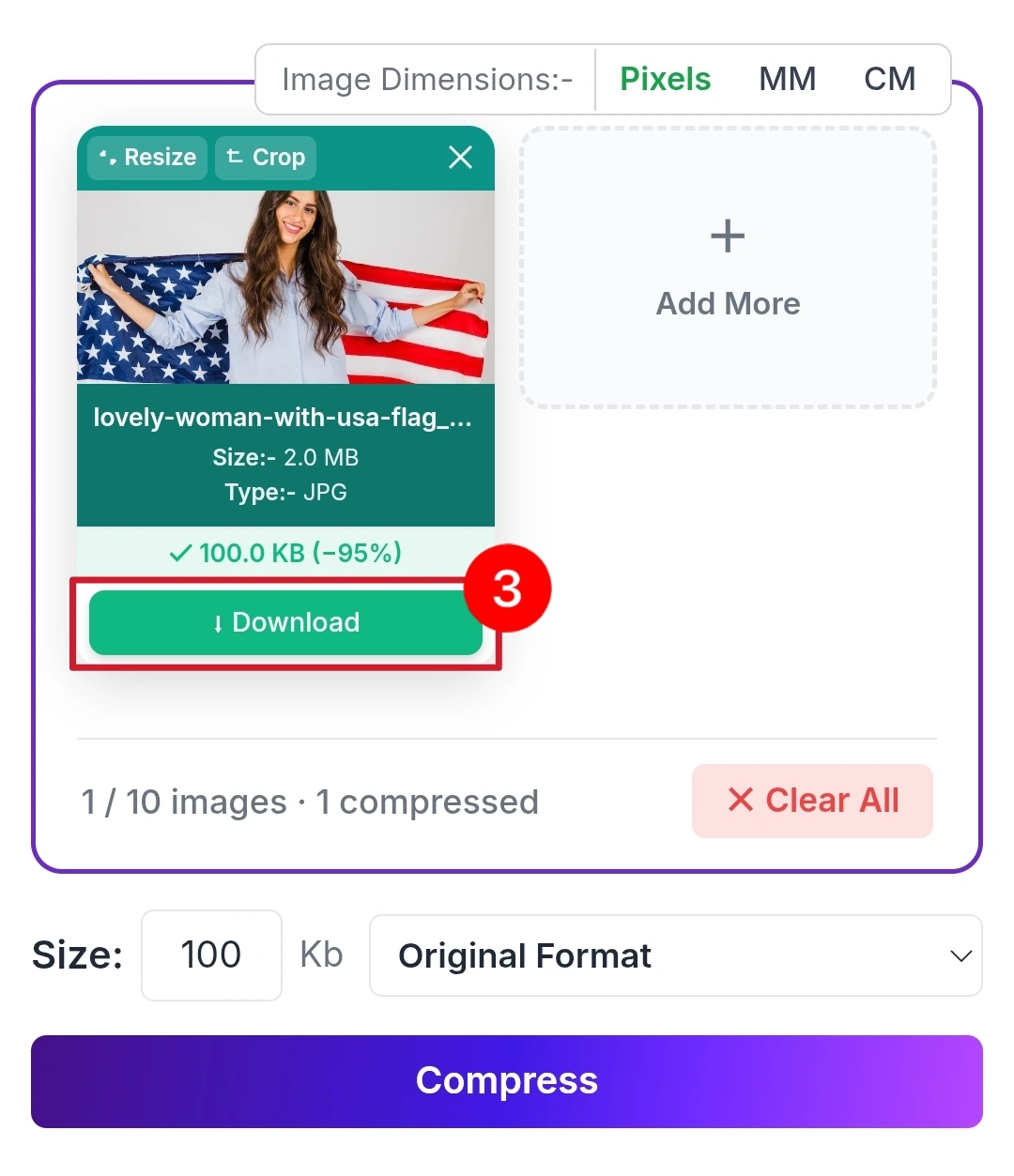
Step 03
After compression completes, preview the result and click the Download button. Your optimized image is ready for upload anywhere without issues.
What Makes Savedfast Different
Online compression tools are everywhere. Most of them disappoint you eventually. Here is where Savedfast genuinely stands apart:
Feature Savedfast
- Completely Free
- No Registration
- No Daily Cap
- Quality Preserved
- Mobile Friendly
- JPEG & PNG Support
No surprise paywalls, No watermark stamped on your images, No account creation before downloading, No daily limits cutting you off when you need the tool most.
People Who Need This Most
Government Form Applicant
National ID application, passport form, and citizen service portal carry some of the strictest image requirement online. Missing the 100KB mark means your submission fails before anyone even reviews it.
Competitive Exam Candidate
Registration portals for major national and state level examination enforce hard image size limits. A rejected photo can mean a missed registration deadline and another year of waiting.
Job Applicant
Corporate and government recruitment portals frequently cap image upload at 100KB. Savedfast ensures your application photo meets requirement without a second attempt.
Students and Parent
School enrollment form, scholarship application, and hostel registration portals all commonly require image well under 200KB. Savedfast handles these quickly for the entire family.
FAQ
Does compressing to 100KB damage image quality?
Not noticeably for standard uses. Savedfast Online Tools applies intelligent compression that remove hidden data your eyes cannot detect. Profile photo, passport image, and scanned document all compress cleanly.
Can I compress multiple images?
Yes. There is no daily cap. You can add up to 10 images at a time, and if you send a lot very quickly the tool pauses for a moment before carrying on.
Will my private photos be stored anywhere?
No. Your image is uploaded to our server so it can be compressed. It is not saved there: the upload is deleted automatically as soon as your compressed copy is sent back to you. Photo details such as location data (EXIF) are also removed from the compressed copy.
Does this work on Android and iPhone?
Perfectly Open Savedfast Online Tools in any mobile browser and compress images directly from your phone gallery no app installation required.