image to 1MB online free compressor
Up to 10 images at once
| 50kb | 100kb | 200kb | 500kb | 1mb |
How to Compress Image to 1MB Online
When Your Image Is Just Too Big Picture this. You are applying for something important. A job, A visa, A professional membership. Everything is perfectly prepared except one thing. Your image file is 8MB, 12MB, or even 15MB. The portal strictly accepts nothing above 1MB. That gap feels enormous. And most people have no idea how to bridge it without ruining their photo.
This situation play out thousand of times daily across professional platforms, corporate portal, and international application system. Unlike the tighter 50KB or 100KB limits found on government exam portals, the 1MB limit appears most frequently on professional and corporate platform job application system, visa processing portal, professional certification website, and business registration platform.
The fix is simpler than you think. Savedfast compresses your image to exactly 1MB free, instant, and with quality that still looks completely professional. No software, No technical skills, No frustration. Just a smaller file ready to upload in under a minute.
Understanding the 1MB Image Size Limit
MB stands for megabyte. One megabyte equals 1,000 kilobytes. It sound generous compared to 50KB or 100KB limit but modern camera and smartphone routinely produce image between 5MB and 25MB. Against a 1MB ceiling, even a moderately sized phone photo can be 10 to 25 time too large.
Professional DSLR camera produce raw image files reaching 20MB to 50MB easily. Edited photograph exported from professional software often land between 8MB and 15MB. Even basic screenshot on newer high resolution devices can exceed 1MB without warning.
According to [Google’s official image optimization documentation](https://developers.google.com/speed/docs/insights/OptimizeImages), unoptimized images remain the single largest contributor to slow page load and failed upload submission globally. Platform enforcing 1MB limits do so to maintain consistent performance especially when processing thousand of simultaneous applications from users worldwide.
How to Compress Image to 1MB
Just follow 3 simple steps. No technical knowledge required at any point:
step 01:
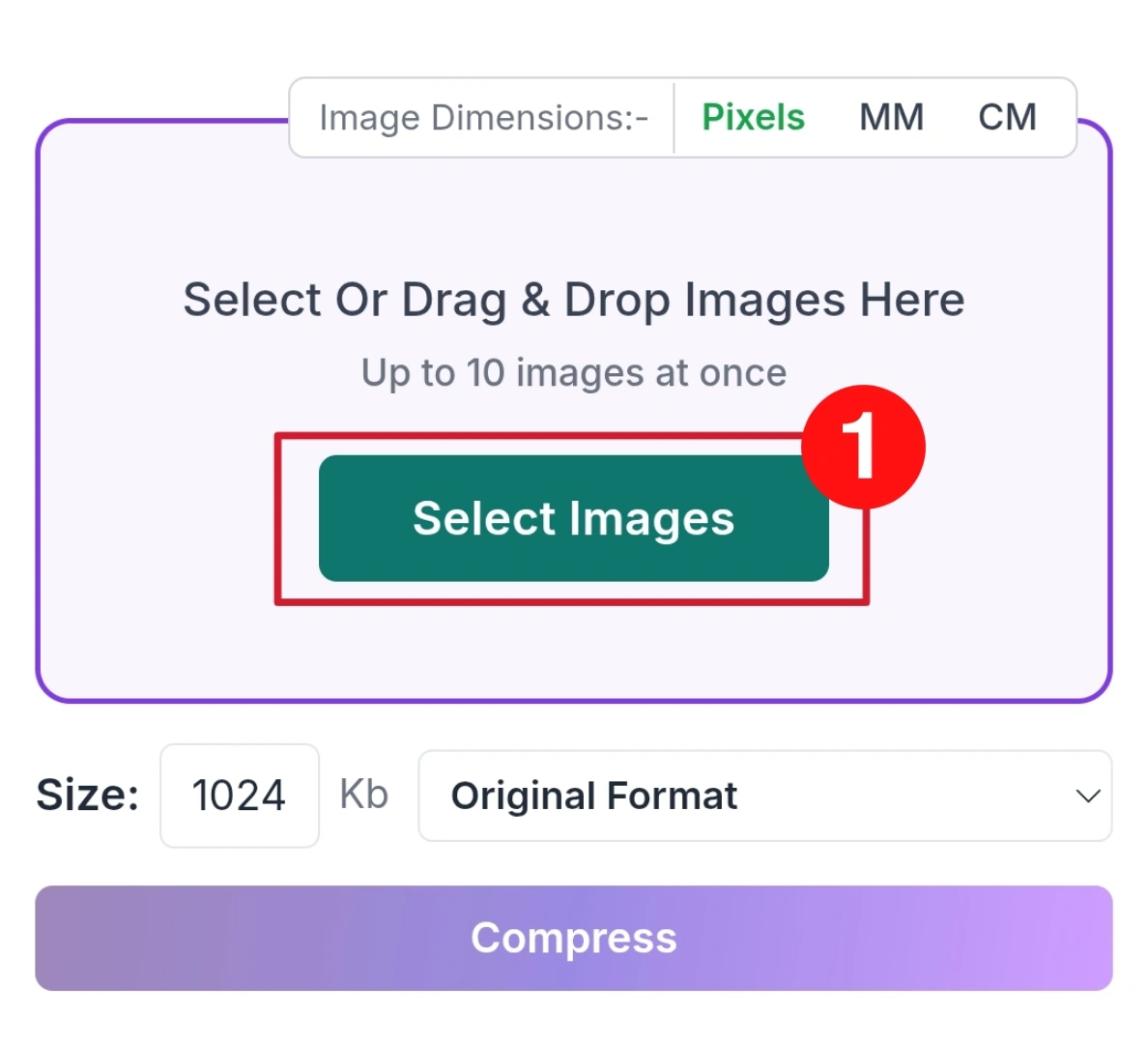
Open Savedfast in your browser on any device. No install or setup needed. Upload or drag your image file. Supports JPG, JPEG, PNG, WEBP, and other common formats.
step 02:
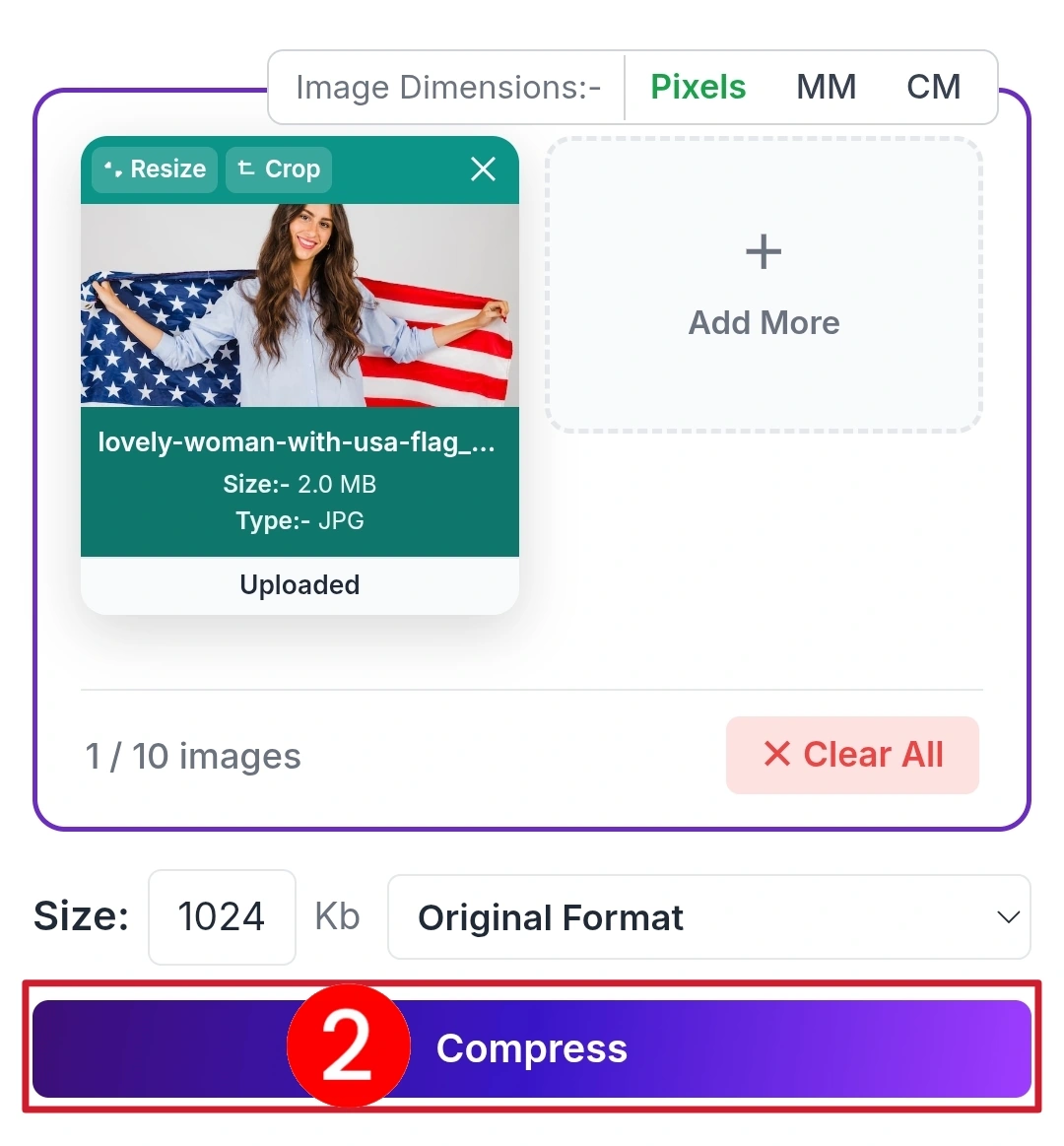
Set output size to 1MB. Savedfast optimizes compression to stay under limit while keeping quality. Click compress and wait a few seconds.
step 03:
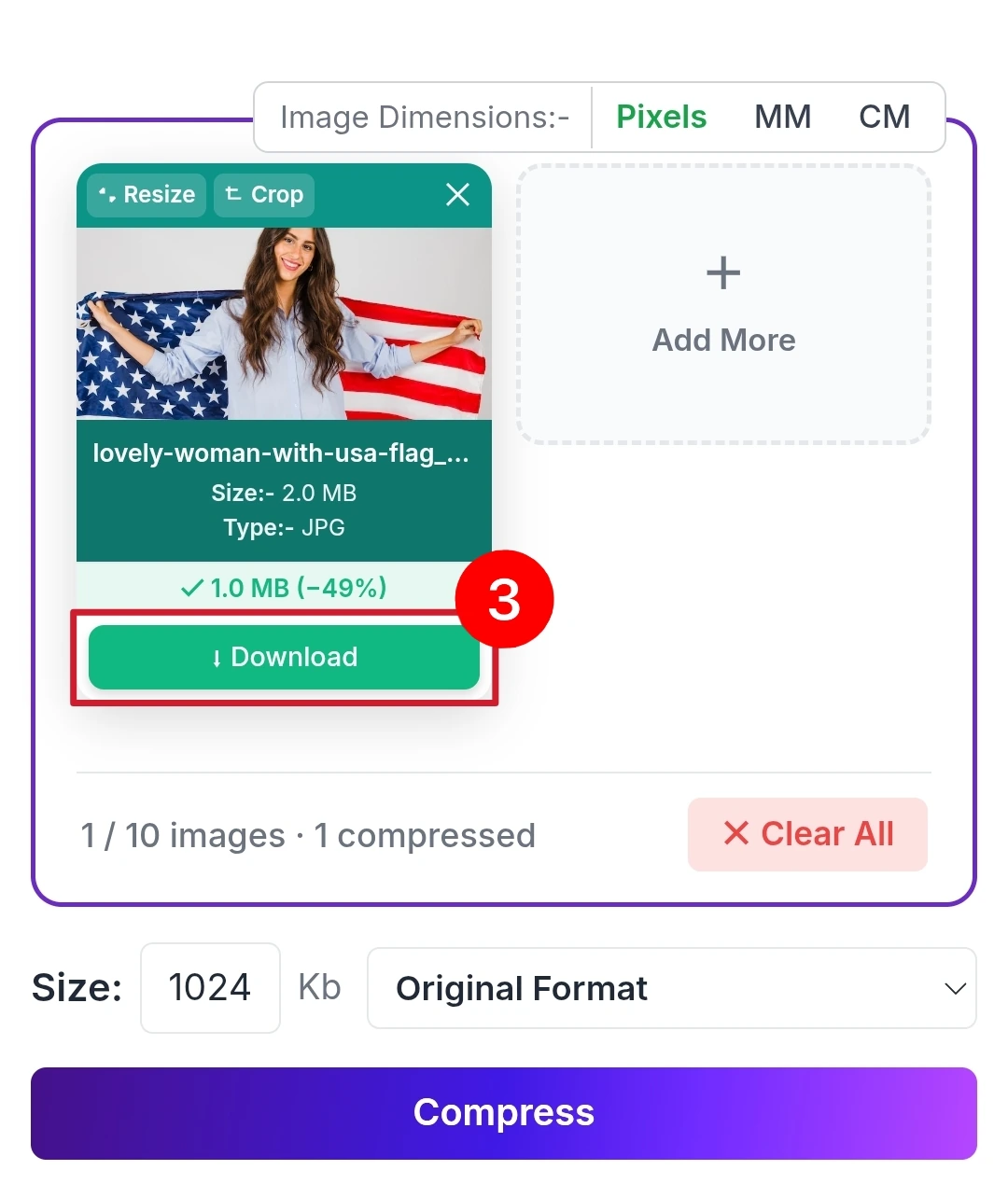
Preview the image to check quality. Download the compressed 1MB file, ready for upload anywhere.
Why Savedfast Excels at 1MB Compression
Here is something worth understanding. Compress an image to 1MB actually provide more room for quality preservation compared to tighter limits like 50KB or 100KB. A smart compression tool use this advantage well reducing file size significantly while retaining noticeably better visual clarity.
Savedfast takes full advantage of this. Its intelligent compression algorithm identifies redundant image data invisible to human eye and remove it selectively. Your photo lose file weight without losing the visual sharpness that makes it look professional and credible on application portal.
Feature Savedfast
- Always Free No Charges Ever
- No Sign-Up Zero Registration
- Unlimited Usage No Daily Caps
- Precise Target Sizing Hits 1MB Accurately
- Professional Quality Output Sharp and Clear
- All Devices Supported Phone and Desktop
- JPEG, webp, PNG and more famous Format Accepted
No watermark appearing on downloaded images,No paywall blocking access after three free compression, No account creation standing between you and your compressed file.
Who Needs 1MB Image Compression Most
Visa and Immigration Applicants
International visa portal maintained by embassies and immigration departments enforce strict document upload limits. Professional quality photograph compressed to exactly 1MB are standard requirements across multiple countries’ online visa application system.
Corporate Job Applicant
Large multinational companies and recruitment platform process thousands of applications simultaneously. Their portal cap image uploads at 1MB to maintain system performance. A properly compressed professional headshot ensures your application submits without technical rejection.
Professional Certification Candidates
Industry certification bodies engineering councils, medical boards, legal associations require applicant to upload professional photograph within specific file size ranges. 1MB is a commonly enforced ceiling across these platform globally.
Business Registration Applicant
Entrepreneurs registering businesses, trademarks, or professional licenses online frequently encounter 1MB image upload limit for identification document and official photograph. Savedfast handles these requirements cleanly and quickly.
Freelancers Building Online Profile
Professional freelancing platform, portfolio website, and creative marketplaces often restrict profile image upload to 1MB. A sharp, properly compressed profile photo make a stronger first impression while meeting technical requirement simultaneously.
FAQ
Will my professional photo still look sharp at 1MB?
Absolutely yes. Among all common size target, 1MB actually allow Savedfast to preserve the most visual detail. Professional headshots, passport photo, and portfolio image all compress to 1MB with quality that remain completely credible and submission worthy.
What file format can I upload to Savedfast?
JPEG, JPG, PNG, webp and more — the multiple standard format required by virtually every professional portal, corporate recruitment system, and government platform operating online today.
Any limit on how many image I can compress daily?
None whatsoever. Savedfast imposes zero daily, weekly, or monthly usage caps. Return as frequently as needed and compress as many image as your situation requires.
Are my uploaded photo stored on Savedfast servers?
No Every uploaded image is automatically and permanently deleted from Savedfast server immediately after your compression complete. Your professional photos and personal documents stay completely private.
Can I use Savedfast without creating any account?
Yes Open Savedfast in your browser, upload your image, compress, and download. The entire process requires zero registration, zero login, and zero personal information from you.