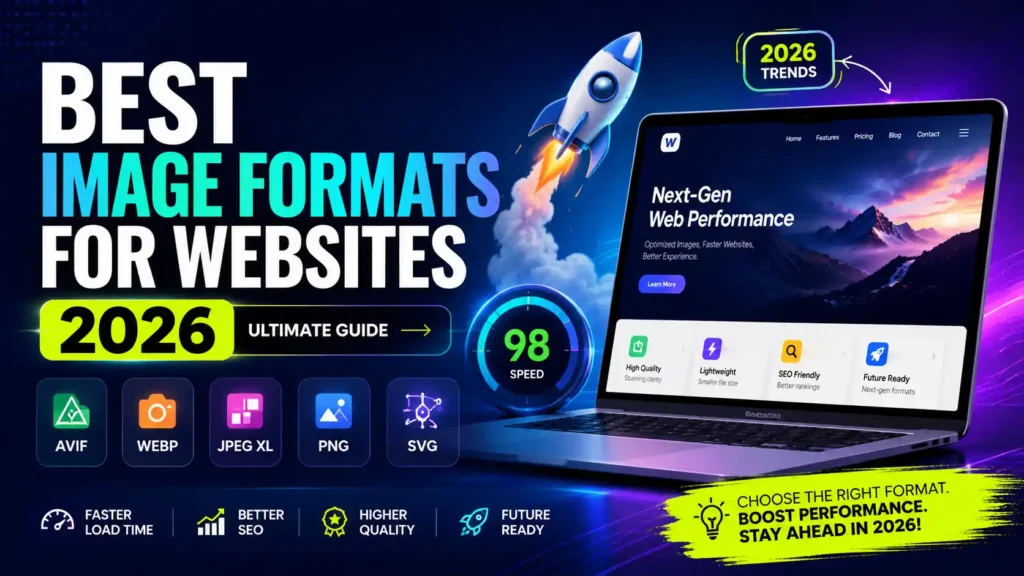
Images eat more of your page weight than anything else. On an average website, they make up about 60% of total load size. Pick the wrong format and you are sending bloated files to every visitor. Pick the right one and your pages get faster, your bounce rate drops, and your hosting costs go down. Here’s what actually matters.
WebP the safe default
Google built WebP in 2010. By 2026, it works in 97% of browser worldwide, including Safari. There no good reason to default to JPEG or PNG anymore.
WebP files run 25 to 34% smaller than JPEG at the same visual quality. A 200KB product photo becomes roughly 130KB. Multiply that across a page with 10 or 12 images and you are shaving real seconds off load time.
Use WebP for: product photos, blog images, hero images, anything that used to be a JPEG.
AVIF the better option if you are ready
AVIF goes further than WebP. Files typically come in 50% smaller than JPEG at matching quality. Netflix uses it for thumbnails. Shopify defaults to it. Google Lighthouse rewards it.
Browser support sits around 93% globally as of mid-2026. That solid enough for production, The one catch AVIF takes longer to encode, so pregenerate your files instead of converting on the fly.
The size difference is real. A hero image at 180KB as JPEG, 130KB as WebP, might land at 80KB as AVIF. That gap matters on slow mobile connections.
Use AVIF for: hero images, large feature photos, anything that sits above the fold.
PNG good format, wrong place
PNG is lossless, That makes it the right call for logos, screenshots with text, UI graphics, anything with sharp edges and transparency.
Where people go wrong is using PNG for photos. A photo saved as PNG is often 3 to 5 times larger than WebP with zero visible quality gain. If your CMS is spitting out PNG for every uploaded photo, that worth fixing.
When you do need PNG, run it through a compressor. Savedfast image compressor handles PNG, WebP, and JPEG in one place and cuts file sizes by 30 to 50% with no visible quality loss.
Use PNG for: logo, icon, screenshot, anything with hard edges or transparency.
SVG the obvious choice for icons
If it started as a vector, it should end as an SVG. A typical icon in SVG format runs about 2KB. The PNG version at retina resolution is 8 to 12KB.
SVG also scale perfectly at any size, which matters when you are designing for screens from 375px to 2560px wide. You can change their color with CSS, animate them, and theme them without touching the image file.
One rule: sanitize SVG before allowing user uploads. An SVG is XML under the hood, which means it can carry scripts. Don’t skip this.
Use SVG for: logo, icon, illustrations, anything built in Figma or Illustrator.
GIF time to move on
GIF caps at 256 colors and produces enormous file sizes for animation. The only reason it survived this long is internet culture.
For anything animated, use WebP or a short MP4. A 5MB animated GIF compresses to under 500KB as an MP4. Same look, 90% less weight. The math is too good to ignore.
If a platform requires GIF uploads and transcodes internally, that’s fine. Let the platform handle it. Otherwise, stop producing GIF.
JPEG XL wait and see
JPEG XL looks impressive on paper. It beats AVIF in some tests and handles HDR content well. The problem Chrome dropped support in 2022, brought it back inconsistently, and the ecosystem hasn’t committed.
Safari supports it, Firefox supports it, Chrome is unpredictable. Skip JPEG XL in production for now. AVIF does the job and the browser support is there.
How to pick the right format
Run through this every time:
- Is it a vector, icon, or logo? SVG.
- Does it need transparency with sharp edges? PNG.
- Is it a photo or complex image? AVIF, fall back to WebP.
- Is it animated? WebP animation or MP4.
- Is it a screenshot with text? PNG or WebP.
Serve modern formats with a <picture> element. Older browsers fall back automatically:
<picture>
  <source srcset="image.avif" type="image/avif">
  <source srcset="image.webp" type="image/webp">
  <img src="image.jpg" alt="Description" width="800" height="600">
</picture>
This one block covers 99% of users across every major browser.
What actually moves your Google scores
Largest Contentful Paint (LCP) is Google main speed signal. Your hero image is almost always the LCP element. Compress it hard, serve it as AVIF or WebP, and add fetchpriority="high" to the <img> tag so the browser loads it first.
Cumulative Layout Shift (CLS) happens when images load without declared dimensions and push content around the page. Always set width and height attributes on every image Always.
Those two fixes, right format plus declared dimensions, will move your Core Web Vitals scores more than most other optimizations combined.
Compression numbers worth bookmarking
Default “save for web” settings are almost always too conservative. Start here:
- AVIF: quality 50–70 for photos. Most people can’t spot a difference above 65.
- WebP: quality 75–85. Drop to 75 for large background images, push to 85 for product close-ups.
- PNG: run through oxipng or pngquant. Expect 30–50% savings with no visible change.
- SVG: run through SVGO. It strips editor metadata and typically cuts file size by 40–60%.
Savedfast image compressor lets you compress JPEG, PNG, and WebP files right in your browser with no sign up. Use it to test quality settings before committing to a format. Squoosh is another free option for side-by-side format comparisons.
Let your CDN handle it
If you’re using Cloudflare Images, Imgix, or Cloudinary, they read the browser’s Accept header and serve the best supported format automatically. AVIF to Chrome, WebP to older browsers, JPEG as a last resort.
This is the easiest path to modern formats, no code changes, no build pipeline updates. Cloudflare Images runs $5 per 100,000 images stored. Imgix starts at $10 per month. For any site with real traffic, the load time improvement more than covers the cost.
Ready to compress your images?
You don’t need to install anything. Savedfast image compressor runs in your browser, supports JPEG, PNG, and WebP, and gets your files down to a web ready size in seconds. No account, no watermark, no file size games.
It’s the fastest way to apply everything in this article without touching your build pipeline.
Frequently asked questions
What is the best image format for websites in 2026?
AVIF is the best format for photos and complex images in 2026, producing files up to 50% smaller than JPEG at the same visual quality. For icons and logos, SVG is the right choice. WebP works as a reliable fallback where AVIF isn’t supported.
Should I still use JPEG on my website?
Use JPEG only as a last-resort fallback inside a <picture> element. AVIF and WebP produce smaller files at the same visual quality, and most modern browsers support both.
Is WebP better than PNG?
For photos, yes. WebP is significantly smaller. For images that need lossless transparency with hard edges, like logos or UI screenshots, PNG is still appropriate. WebP supports transparency too, so for many use cases it can replace both JPEG and PNG.
Does image format affect SEO?
Yes Image format affects file size, which directly impacts page speed and Core Web Vitals scores like LCP. Google uses page experience as a ranking signal, so oversized images in slow-loading formats can hurt your search rankings.
What image format is best for logos?
SVG is best for logos. It scales perfectly at any resolution, typically weighs 1 to 5KB, and can be styled with CSS. If you need a raster format, use PNG with transparency.
Is AVIF supported by all browsers in 2026?
AVIF browser support is approximately 93% globally as of 2026, covering Chrome, Firefox, Safari, and Edge. Using a <picture> element with a WebP fallback covers essentially all modern users.
Should I use GIF for animations on my website?
No Animated GIF are large and inefficient. Use animated WebP or a short looping MP4 instead. An MP4 can be 80 to 90% smaller than the equivalent GIF with better visual quality.
What image format loads fastest on mobile?
AVIF loads fastest on supported mobile browsers because of its small file sizes. Pair it with responsive images using srcset so mobile devices receive appropriately sized images rather than full resolution desktop files.
How do I convert images to AVIF or WebP?
Savedfast image compressor compresses JPEG, PNG, and WebP files free in your browser with no signup. For format conversion and side-by-side comparisons, Squoosh is a solid free option too. For bulk work, Sharp for Node.js or ImageMagick handle it at scale.
Does image compression hurt quality?
At typical web compression settings, quality loss isn’t visible to most users. AVIF at quality 65 and WebP at quality 80 are reliable starting points that produce results visually identical to uncompressed originals at roughly half the file size.