Telegram video downloader Free
If you are searching for an easy way to download Telegram video online, look no further than Savedfast tools. This Telegram video downloader tools is completely free and designed to help user save videos from public Telegram channel posts without any hassle. Whether you want to save funny GIF, educational tutorial, or exclusive channel content, this guide provide a complete A–Z walkthrough to get you started.
What is Savedfast Telegram Video Downloader Tools?
Savedfast Telegram Video Downloader is a free, easy to use online tool designed to help users download videos from public Telegram channel posts (links like t.me/channelname/123). Private chats, private groups and private channels can only be seen by their members, so no website can reach them and they are not supported. With Savedfast, anyone can quickly save Telegram video directly to their device without needing to install any software or sign up for an account. It is a browser-based tools that work smoothly on mobile phones, tablet, laptops, and desktop.
The biggest advantage of using Savedfast tools is very simple interface. All you need is the video link from Telegram, and within second, you can download the Telegram video online as an MP4 file, in the quality the channel posted. Whether it’s a short clip or a full-length tutorial, if it is in a public channel post you can save it in a few taps.
Savedfast gives you the video file Telegram serves for that post, usually as a single MP4 option. The quality is whatever the channel uploaded, and Savedfast can’t make a video sharper than the original. The results table shows the file size before you download.
Another great feature is that there is no daily download cap for normal use, no hidden charge, and no premium upgrade. The platform is lightweight, loads quickly, and has minimal ads, providing a smooth, hassle-free experience for everyone.
Additionally, Savedfast downloader tools is built with privacy and security in mind. It doesn’t ask for an account or personal details, and it doesn’t keep copies of the videos. It does keep a basic download log (the link and your IP address), as explained in our Privacy Policy.
In short, Savedfast online video downloader is the best option for anyone looking for a fast, reliable, and free Telegram video downloader website. It’s perfect for student, content creator, marketer, and everyday Telegram user who want offline access to their favorite video anytime, anywhere.
How to Download Telegram Videos with SavedFast (Step-by-Step Guide)
Downloading video from Telegram is very easy than ever with Savedfast. Follow this simple step-by-step guide to save your favorite Telegram video directly to your device:
Step 1:
Open Telegram: Launch the Telegram app on your mobile device or desktop.
Choose a Video: Open the public channel and find the post with the video you want to download. Links from private chats and groups won’t work.
Locate the Menu: Tap on the three-dot icon or the share button located next to the video.
Copy the Link: Select “Copy Link” to copy the full URL of the Telegram video to your clipboard.
step:2
Open Web Browser: Open Chrome, Safari, Firefox, or any browser on your phone, tablet, or computer.
Type in the URL: In the browser address bar, type “savedfast.com/telegram-video-downloader” and hit enter.
Find the Input Box: At the top of the page, find the box that says “Paste a video URL.”
Paste the Link: Tap on the input field and paste the Telegram video link you copied earlier.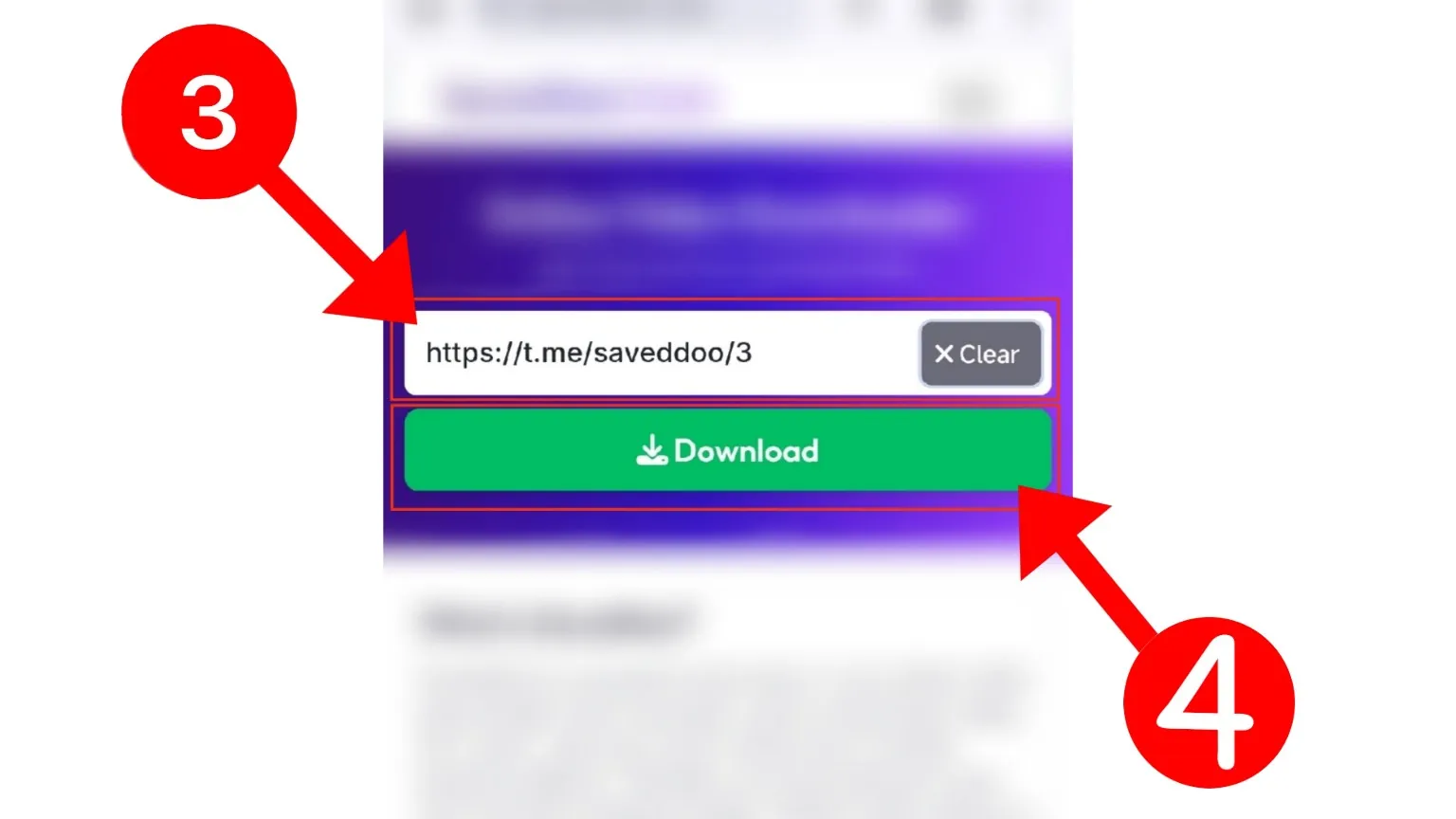
Step:3
Click the Download Button: After pasting the telegram video link, click on the “Download” button.
Check the File: The results table shows the quality and file size of the video. Tap “Download” on that row.
Save to Your Device: The file will start downloading directly to your phone, tablet, or computer.
Enjoy Offline Viewing: Once the download is complete, you can open the saved video anytime, anywhere, without needing an internet connection.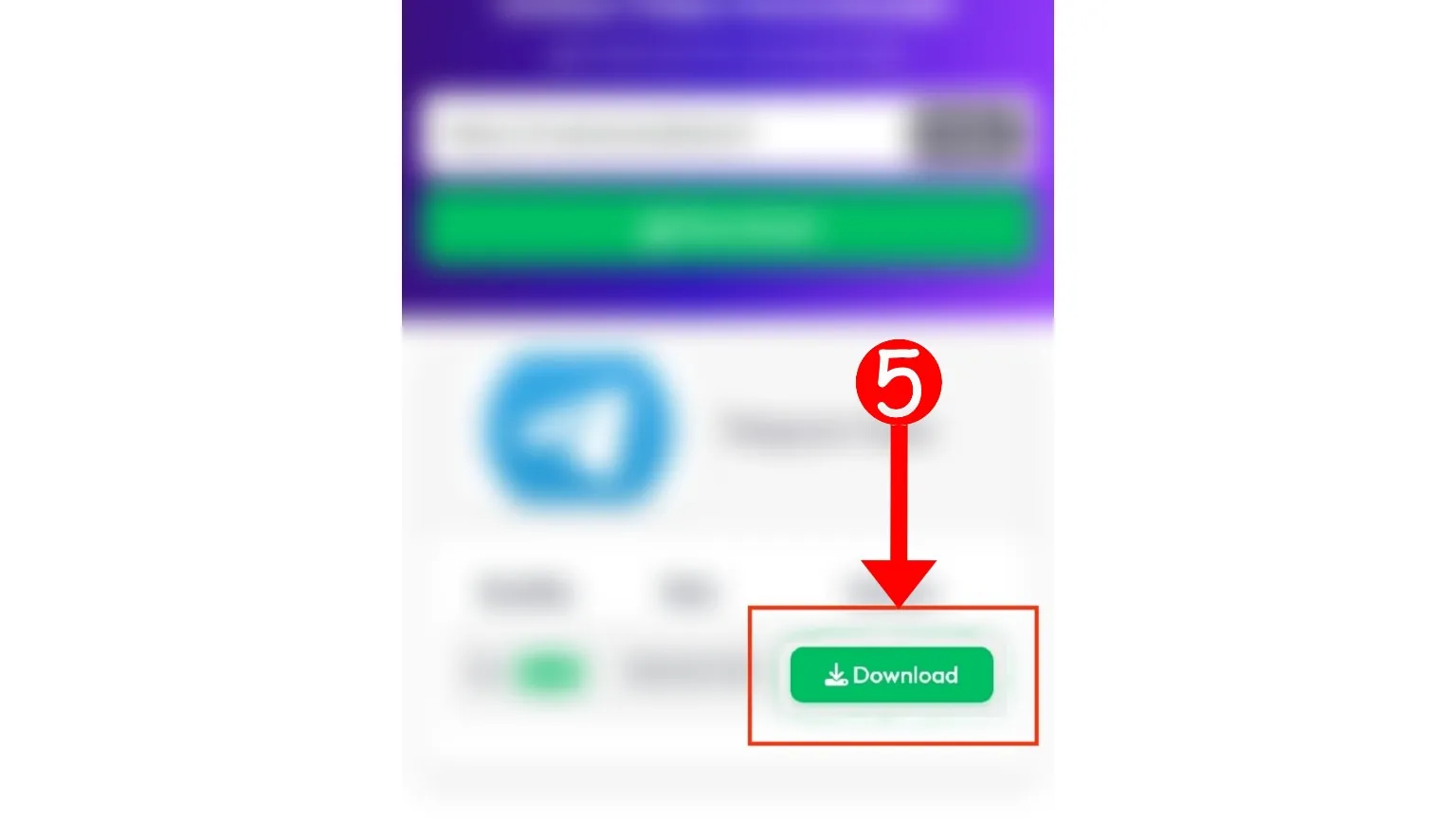
With just a few taps or clicks, Savedfast lets you securely and easily download Telegram videos for offline enjoyment.
Why Choose a Telegram Video Downloader?
Telegram has become one of the most popular platforms for sharing video and files, from educational content and entertainment clip to full-length movie and tutorial. However, one major limitation is that Telegram does not provide a direct option to save video permanently on your device. This is where using a Telegram video downloader like Savedfast downloader tools.
A dedicated Telegram video downloader tool provides several benefits that enhance your overall user experience:
- Save Data and Time: Instead of streaming the same video multiple time and consuming your internet data repeatedly, you can simply download the video once. This save a significant amount of data and allow you to watch your favorite video anytime without relying on an active internet connection.
- Enjoy Offline Access: In many area, stable internet access is still a challenge. By downloading Telegram video, you can enjoy continuous viewing even when you are offline or in area with poor connectivity. Whether you are traveling, commuting, or simply relaxing at home, having offline access make a big difference.
- Know the Size First: The results table shows the file size before you download, so you can wait for Wi-Fi if a video is large.
- Flexibility Across Device: Savedfast works seamlessly across smartphone, tablet, laptop, and desktop computer. You don’t need to install any additional app or software. Simply open your any browser, paste the video link, and start downloading instantly.
In just a few simple step, tools like Savedfast tools make it incredibly easy to download Telegram video online for free, provide convenience, flexibility, and complete control over your media.
10 savedfast Key Feature
- No Registration Required: Start downloading instantly no need for sign-up, email verification, or personal information. Just paste your Telegram video link and download within second.
- Cross-Platform Compatibility: Savedfast tools work perfectly on all major device and browser, like Android smartphone, iPhone, Windows PC, macOS laptop, and even Linux systems. No app installation needed just use your browser.
- Original Quality: You get the video file Telegram serves for the post, in the quality the channel uploaded. Savedfast can’t make a video sharper than the original.
- Secure and Ad-Light Interface: Enjoy a clean, easy to navigate website with minimal advertising. Savedfast prioritizes user experience and keep distraction to a minimum while provide secure and encrypted connection.
- No Daily Cap: There is no daily download limit for normal use. Very heavy use from one connection may be paused for a while to keep the service running for everyone.
- Completely Free to Use: Savedfast provide 100% free service. There are no hidden fees, no premium plan, and no surprise. All users get full access to fast and high-quality download without paying anything.
- Fast Server Performance: Thanks to optimized server, telegram video download are quick and efficient. Even large files are fetched and delivered smoothly to your device without long waiting time.
- MP4 Format: Videos save as MP4, which plays on almost every phone, computer, and media player.
- Simple Three-Step Process: With Savedfast, downloading Telegram video is a very easy: copy the video link, paste it into the downloader, and click to save. No complicated step or confusing menu.
- Privacy Protection: Savedfast respects your privacy. No account or personal details are needed. The only download record kept is a basic log of the link and your IP address (see our Privacy Policy).
Tips for Faster Download Experience
Want to speed up your Telegram video download with Savedfast? A few simple tweak can make a big difference. By following these expert tips, you can enjoy smoother, faster downloading experience every time.
Stable Internet Connection
Alway use a reliable internet connection when downloading telegram video. A strong Wi-Fi network or a direct wired Ethernet connection will significantly boost your download speed and reduce the chance of failed download or buffering issues.
Clear Browser Cache Regularly
Over time, your browser cache can become overloaded, leading to slower performance. Clearing your cache and cookies regularly help maintain faster browsing and downloading speed. It’s a simple step that can refresh your download performance instantly.
Disable Unnecessary Browser Extension
Certain browser extension or add-ons, like ad blocker, VPN, or security plugins, may interfere with downloading processe. Try disabling unnecessary extension when using Savedfast to provide smooth and uninterrupted download.
Use Batch Download
If you need to download multiple Telegram video, open separate tab for each link instead of waiting for one download to finish before starting another. This method save time and maximize your internet usage efficiently.
Switch to Private or Incognito Mode
Private browsing mode in Chrome, Firefox, Safari, or Edge prevent your browser from using cached version of the site, which can sometime cause conflict or slowdown. Using incognito mode often lead to faster and more consistent download session.
Close Background Application
Application that use internet bandwidth like cloud backup tools, software update, or video streaming service can slow down download. Pause or close them while downloading Telegram video for maximum speed.
By applying these simple optimization, you can provide that downloading Telegram video with Savedfast remain quick, reliable, and hassle-free every single time.
Save your downloads somewhere safe
Files in your phone’s Downloads folder are easy to lose when storage fills up or you switch devices. If you keep Telegram videos you own or have permission to save, a cloud folder like pCloud keeps them backed up and reachable from your phone or computer. If you’d rather not pay monthly, pCloud also has a one-time Lifetime plan.
We may earn a commission if you buy through these links, at no extra cost to you. Affiliate disclosure.
Want to trim, convert, or edit the video you saved? Try Movavi Video Converter or Movavi Video Editor.
We may earn a commission if you buy through these links, at no extra cost to you. Affiliate disclosure.
FAQ
1. Is Savedfast free to use for downloading Telegram video?
Yes, Savedfast tools is completely free with no hidden charges or subscription requirement.
2. Do I need to install any app to download Telegram video?
No, Savedfast tools works directly through your web browser no app download or installation is needed.
3. Can I download video from private Telegram group?
No. Savedfast only works with public channel post links, like t.me/channelname/123. Private groups, private chats, and private channels can only be seen by their members, so no website can reach them. If you are a member and saving is allowed, use Telegram’s own Save option in the app.
4. What device are compatible with Savedfast tools?
Savedfast tools support Android, iPhone, Windows, Mac, Linux, and tablets—basically any device with a browser.
5. Does Savedfast reduce video quality during download?
No. Savedfast gives you the video file Telegram serves for the post, so you get the quality the channel uploaded. It can’t make a video sharper than the original.
6. Is it safe to download Telegram videos using Savedfast?
Yes. Savedfast uses a secure (HTTPS) connection and never asks for an account or personal details. Like most websites it uses Google Analytics, and it keeps a basic download log; see our Privacy Policy.
7. How fast are the download on Savedfast?
Download speed are very fast, depending mainly on your internet connection and file size.
Try other tools: Facebook Video Downloader