Free image compressor
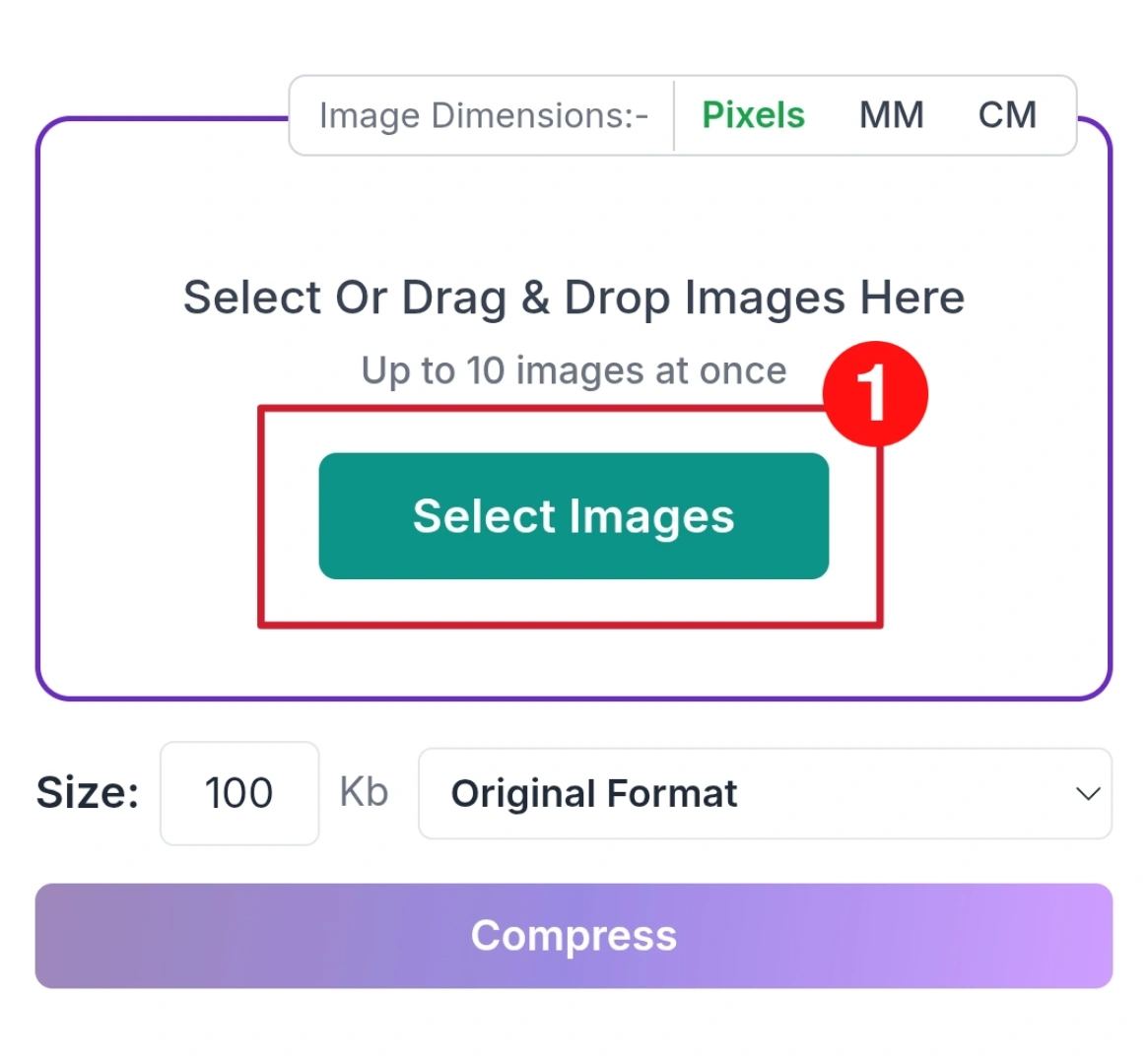
Up to 10 images at once
Your image is uploaded to our server to be compressed. It is not saved: the upload is deleted automatically as soon as your compressed copy is sent back.
| 50kb | 100kb | 200kb | 500kb | 1mb |
Image Compressor
Image make your website look beautiful, but large image file can slow everything down. A slow website means visitor leave early, and your rankings drop. That where Savedfast Image Compressor help.
Savedfast is a free online tool that lets you compress image in few second no software download, no signup, no technical knowledge.
Why Choose Savedfast Image Compressor?
Many image tools are slow, confusing, or require login. Savedfast is built to keep things very simple and fast.
Here’s why it stands out:
- Super Fast Speed: Compress image in just second
- 100% Free Access: No hidden charges at all
- No Sign up required: Start using instantly anytime
- No Watermark Added: Your images stay clean always
- Work on All Devices: Mobile, tablet, or desktop
- Custom Size Option: Compress to 100KB, 50KB, or any size you need
What is Image Compression?
Image compression means reducing the file size of an image so it load faster but still looks good.
Savedfast uses smart compression techniques:
- Keeps image quality high
- Removes unnecessary data
- Reduces file size significantly
This helps your website load faster without affecting how your images look.
How to Use Image Compress
You don’t need any technical knowledge. Just follow these steps:
Step:01
Drag and drop your file or click upload. It supports JPG, PNG, WebP, and more.
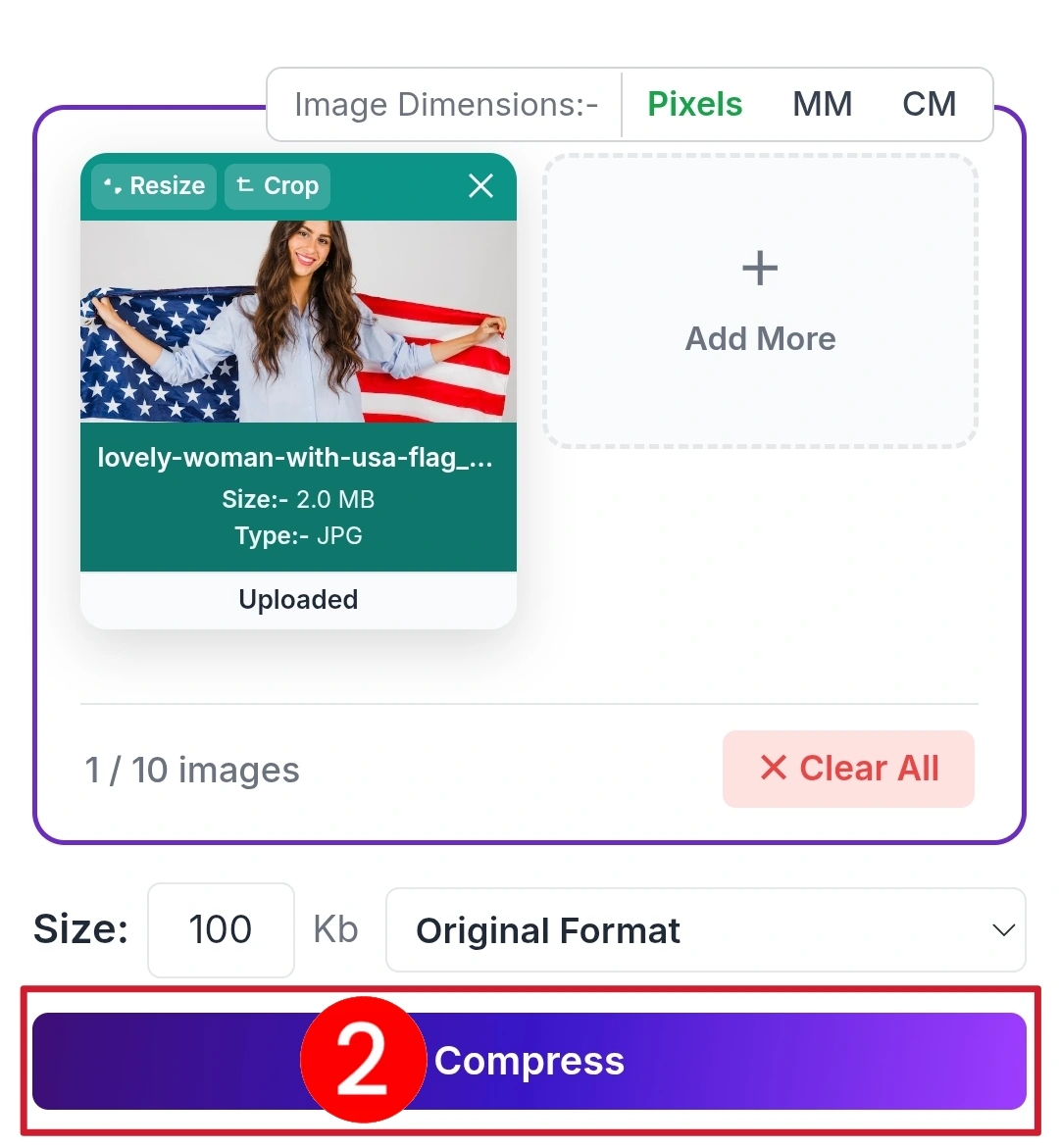
Step:02
Set your target size like 100KB or 50KB, or adjust quality easily and click the compress button.
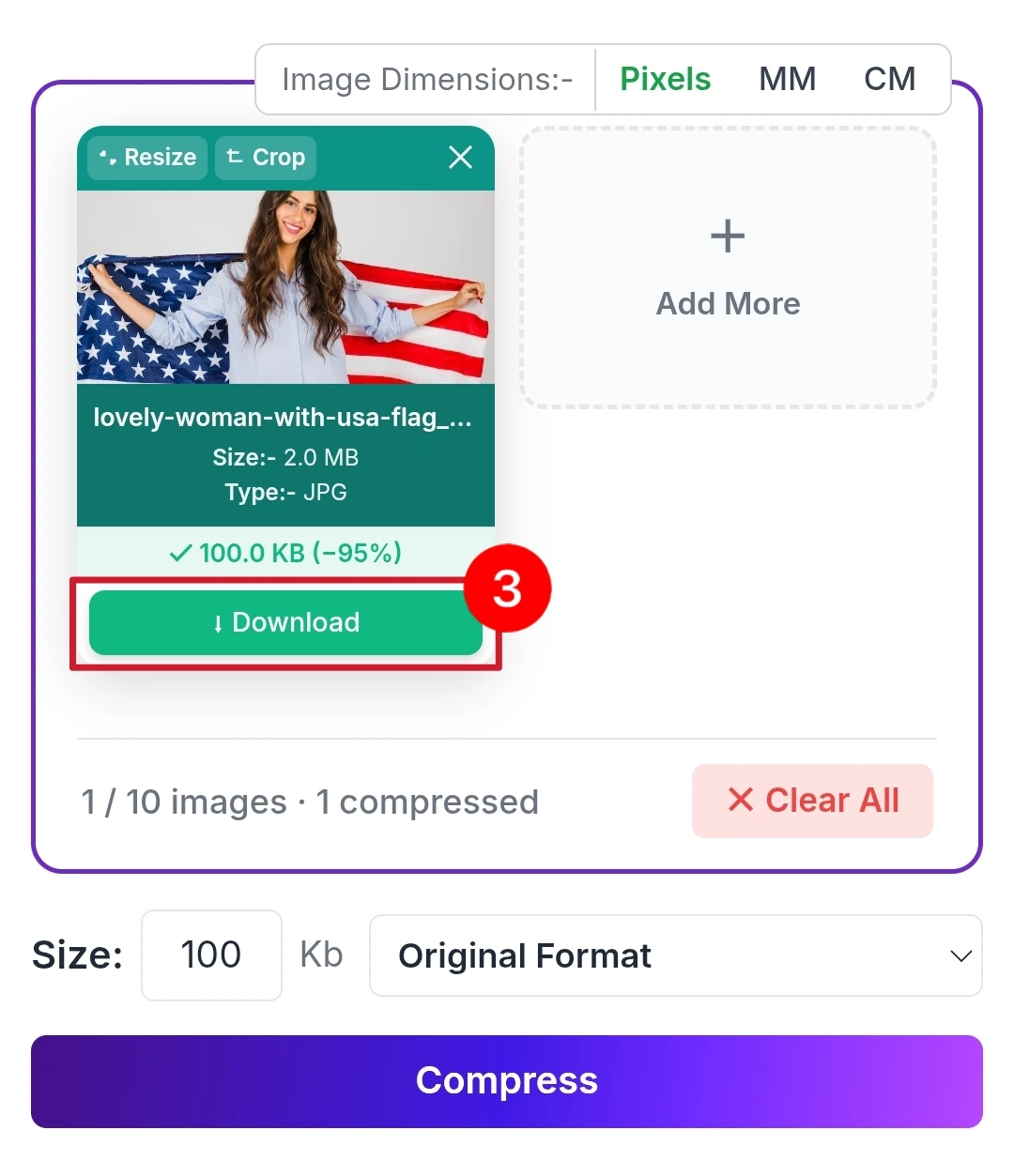
Step:03
Click download and your compressed image is ready in second.
Perfect for Every Use Case
Savedfast is useful for many situations:
- Website Optimization: Smaller image faster loading better SEO.
- E-commerce Store: Optimize product image for better performance and user experience.
- Social Media Upload: Compress image to meet platform limits with little visible quality loss.
- Email Attachment: Reduce file size to send images easily.
- Job & Form Upload: Many form require images under 100KB Savedfast makes it easy.
Recommended Image Size
Not sure what size to choose? Use this simple guide:
- Blog image: 80–150KB
- Product photo: 100–200KB
- Website banner: 200–400KB
- Social media: 500KB–1MB
Why Image Compressor Matter
Still wondering if it’s important? Here’s the truth:
- Faster websites keep visitors longer
- Better speed improves Google ranking
- Saves hosting and bandwidth costs
- Improves mobile performance
- Gives smooth user experience
A single uncompressed image can be 2–10MB. After Compress, it can drop to under 100KB that’s a huge difference.
Smart Features of Savedfast
Savedfast is designed for real users, not just developers:
- Instant processing: No waiting time
- High-quality output: No blurry image
- Multiple format support: JPG, PNG, WebP
- Privacy-focused: Images are deleted automatically right after compression
- Simple interface: Anyone can use it
Common Mistakes Savedfast Helps You Avoid
Many users make these mistakes:
- Uploading large images directly
- Over-compressing image
- Using wrong file format
- Ignoring image size limit
Savedfast handles these problem automatically, so you don’t have to worry.
Why Savedfast is Better Than Other Tools
Other tools often:
- Require login
- Add watermarks
- Limit usage
- Are slow
- Not Free
Savedfast removes all these problems and gives you a fast, clean, and free experience.
Keep your originals and compressed copies safe
After you compress an image, it helps to keep both the full-size original and the smaller copy in one place, so you can grab the right file later for a form, an email or your website. pCloud is secure cloud storage that works on your phone and computer, and its Lifetime plan is a one-time payment if you’d rather not pay monthly.
We may earn a commission if you buy through these links, at no extra cost to you. Affiliate disclosure.
Need to compress lots of images, or a whole WordPress site? Try ShortPixel.
We may earn a commission if you buy through this link, at no extra cost to you. Affiliate disclosure.
Frequently Asked Questions
Q1. Is Savedfast Image Compressor completely free?
A: Yes, Savedfast is 100% free to use. There are no hidden charges, subscriptions, or premium plans. You can compress as many images as you want.
Q2. Do I need to sign up or create an account?
A: No signup is required. You can start compressing images instantly without any registration or login.
Q3. Which image formats does Savedfast support?
A: It supports JPG, JPEG, PNG, WebP, and many other popular image formats.
Q4. Will the image quality be reduced after compression?
A: Savedfast uses smart compression technology that significantly reduces file size while maintaining excellent visual quality. In most cases, the difference is hardly noticeable.
Q5. Are my images safe and private?
A: Yes. Your image is uploaded to our server so it can be compressed. It is not saved there: the upload is deleted automatically as soon as your compressed copy is sent back to you. Photo details such as location data (EXIF) are also removed from the compressed copy.
Q6. How many images can I compress at once?
A: You can upload and compress single or multiple images in a batch depending on the tool’s capacity.
Q7. What is the maximum file size I can upload?
A: You can upload images up to 20MB each. For very large files, try a smaller target size.
Q8. Can I compress an image to a specific size like 100KB?
A: Yes You can set a custom target size (50KB, 100KB, 200KB, etc.), and the tool will try to reach as close as possible to your desired size.
Q9. Does Savedfast add any watermark to the compressed image?
A: No. Your images remain completely clean with no watermark added.
Q10. Can I use Savedfast on my mobile phone?
A: Yes. The tool works perfectly on all devices including mobile phone, tablet, and desktop computer.
Q11. How fast is the compression process?
A: Most images are compressed in just a few seconds.
Q12. Can I see the original and compressed file size before downloading?
A: Yes After uploading, you can see both the original size and the estimated compressed size.
Q13. I need to upload an image under 100KB for a job application or government form. Can Savedfast help?
A: Absolutely yes Savedfast is especially useful for strict size limits like 50KB or 100KB required by many forms and applications.
Q14. How can I avoid over-compressing my images?
A: Set the target size carefully. It’s always recommended to test with one image first and check the result.
Q15. Why is Savedfast better than other image compressor tools?
A: Savedfast is faster, completely free, requires no signup, adds no watermark, and respects your privacy. Many other tools are slow, require login, or limit free usage.