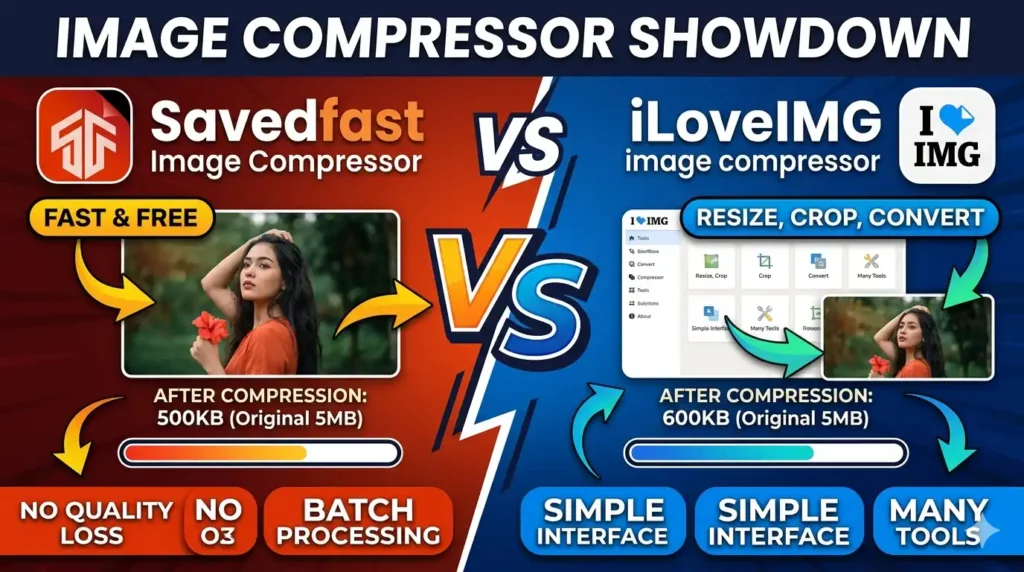
Savedfast Image Compressor vs iLoveIMG: Which One Should You Use?
You upload a photo. It looks perfect. Then you try to send it and your email bounces back. Or your website takes forever to load. Sound familiar?
That is the moment most people discover they need an image compressor.Today, we are comparing two popular tools: Savedfast Image Compressor and iLoveIMG Compressor. By the end of this article, you will know exactly which one fits your needs and why one of them clearly has the edge.
Why Image Compression Even Matter
Before we dive into the comparison, let us talk about why this topic is worth your time.Images are heavy. A single uncompressed photo from your phone can easily be 4–8 MB. That sound small until you have 20 of them on one web page.
Here is the hard truth: 40% of users will abandon a website if it takes more than 3 second to load (Source: Agency51 / Google research). And images are the number one reason pages go slow.
Google also uses page speed as a direct ranking signal. Slow pages rank lower. Fast pages get rewarded. Image compression is one of the simplest ways to speed up any website and it costs you nothing if you use the right tool.
So yes, picking the right image compressor matters more than most people think.
What Is Savedfast Image Compressor?
Savedfast is a free, online image compression tool built for everyone whether you are a web developer, a blogger, a small business owner, or just someone who wants to send photos without hitting a file size limit.
The tool lives at savedfast.com, and the whole experience is designed around one idea: make compression effortless.
Here is what Savedfast provide:
- Drag-and-drop uploadno fuss, just drop your image and go
- Batch compression upload dozens of images at once, perfect for product catalogues and galleries
- Lossy and lossless mode you choose how much quality you want to keep
- Cloud-based processing fast results without slowing down your device
- No registration required you do not need an account, ever
- No software to install works straight in your browser
- Privacy-first approach your files are processed and not stored
The interface is clean and simple. You do not need a tutorial, You do not need a YouTube video, You just visit the site, upload, compress, and download. That is it.
Savedfast supports JPEG, PNG, WebP and more famous formats that cover almost every real-world use case.
What Is iLoveIMG Compressor?
iLoveIMG is a well known image editing platform that has been around for several years. It provide a wide range of image tools not just compression, but also cropping, resizing, converting, and adding watermark.
Their compression tool supports JPG, PNG, and GIF formats. The platform is available as a web tool. iLoveIMG has strong reviews on Trustpilot, with users praising its speed and quality. It is genuinely a good tool.
But here is the thing being good is not always enough.
Savedfast vs iLoveIMG: Head to Head Comparison
Let us break this down clearly, category by category.
1. Ease of Use
Savedfast wins here, and it is not even close. Savedfast is built around simplicity. No menus to dig through. No settings to configure before you start. You open the page, drop your image, and you are done in second.
iLoveIMG has a lot going on. It is a full image editing platform, which is great but it can feel overwhelming if you just want to compress one image quickly. More features sometime mean more confusion.
For a beginner or someone in a hurry, Savedfast is faster to use.
2. Compression Quality
Both tools provide lossy and lossless compression option.
Lossy compression reduces file size significantly but remove some image data. The visual difference is often invisible to the human eye.
Lossless compression keeps every pixel intact but produces a smaller reduction in file size.
Savedfast gives you clear control over both modes. You pick what you need and get consistent results.
iLoveIMG also delivers good compression quality. Their lossy mode is described as producing “maximum compression while keeping sharp images”
Both tools perform well here. For most users, the quality difference is minimal.
3. Batch Processing
Savedfast handles batch uploads smoothly. You can upload dozens of images at once and compress them together. This is a real time saver for anyone managing a website gallery or preparing social media content.
iLoveIMG also supports batch processing. However, the free plan has limits they provide up to 2,500 credits per month on the free tier, after which you need to subscribe or buy a prepaid package
If you process a lot of images regularly and do not want to think about credit limits, Savedfast removes that friction entirely.
4. Account & Registration
Savedfast requires zero registration.No email address, No account, No password to forget. You just use it.
iLoveIMG lets you use basic features without an account but pushes you toward signing up for full access and higher usage limits.
For someone who just needs to quickly compress images without any account setup, Savedfast is the simpler choice.
5. Privacy & File Safety
Both tools take privacy seriously. Savedfast processes your images using cloud based technology and does not store your files after processing.
iLoveIMG also states: “Your data is not stored nor collected on our services” So both tools are safe to use. Your images are not being kept, sold, or shared.
6. SEO & Website Performance Impact
This is where compression tools really prove their value.Image optimization directly affects SEO, because search engines factor in page loading speed when ranking websites. A faster loading page means more page views, a better user experience, and stronger search rankings.
Google Core Web Vitals include LCP Largest Contentful Paint which measures how fast the biggest visible element on your page load. Image are often that element, so slow image hurt your LCP score and your SEO performance.
Both Savedfast and iLoveIMG help you reduce image file sizes, which directly improves these metrics. The tool you use matter less than the habit of actually compressing your images before uploading.
That said Savedfast faster workflow means you are more likely to actually do it every time, rather than skipping it when you are in a rush.
Who Should Use Savedfast?
Savedfast is ideal for:
- Bloggers and content creator who upload images regularly and want a quick, no-fuss solution
- Small business owner who manage their own websites without technical help
- Web developer who need to batch compress assets before deploying a site
- Social media managerwho need to resize and compress images fast
- Anyone who values simplicity and does not want to log in, register, or deal with credit limits
If you just want to upload an image, compress it, and download it Savedfast is built exactly for that.
Who Might Prefer iLoveIMG?
iLoveIMG makes more sense for:
- WordPress site owner who want an automated plugin that compresses every uploaded image automatically
- Users who need GIF compression iLoveIMG supports animated GIF,
- Power user who want a full image editing suite in one place crop, resize, watermark, convert, all from one platform
iLoveIMG is a solid tool. It has a good reputation, real user, and legitimate features. But it tries to do many things. If you only need image compression, that extra complexity is noise.
The Honest Verdict Savedfast vs iLoveIMG
Here is the thing about these tools they both work. But working and being the right choice for you are two different things.
If you want the fastest, simplest, no-registration image compressor that handles batch upload, supports JPEG, PNG, gif, WebP, and gets out of your way Savedfast is the better choice.
It does one thing and does it really well, No credit limits, No account needed, No confusion.
iLoveIMG is a great tool if you need more features or you are managing a WordPress site with automatic compression built in. But for most everyday users, the extra features are more overhead than benefit.
Think of it this way: Savedfast is like a sharp kitchen knife it does exactly what you need, quickly and cleanly. iLoveIMG is more like a full chef’s toolkit impressive, but a bit much if you just need to slice bread.
How to Get Started with Savedfast
Getting started takes about 30 second:
1. Go to savedfast.com/image-compressor
2. Drag and drop your images (or click to upload)
4. Download your compressed files
That is genuinely it,No tutorial needed, No account, No waiting.
Final Thoughts
Image compression is one of those small habits that makes a big difference over time. Smaller image file sizes translate directly to faster page loading times, which search engines and human visitors both prefer contributing to better web performance and lower bounce rates.
Every second counts. Every kilobyte matters. And the tool you actually use consistently is always better than the one sitting in a browser tab you never open.
If you want a fast, clean, and simple image compressor you will actually use every single time — give **Savedfast** a try. It was built with you in mind.